











If a sudden blackout kills your WiFi, shuts down your security cameras, or risks your sump pump stopping mid‑storm… you feel it immediately.
That’s exactly where a 12 volt battery backup comes in.
In this guide, you’ll learn how a 12V UPS can quietly keep your router, modem, CCTV, alarm system, and other 12V devices running when the power grid doesn’t. We’ll break down the real differences between lead‑acid and lithium 12V backup batteries, show you how to calculate realistic runtime, and help you choose a setup that actually works for your home—not just on paper.
If you’re tired of dropped video calls, offline cameras, or worrying every time there’s a storm, keep reading. You’re about to see exactly how a smart 12 volt battery backup can give you reliable, affordable peace of mind in 2025 and beyond.
Understanding 12V Battery Backup Systems
When the power drops, most of us only care about one thing: keeping the essentials running—internet, security, lights, and critical devices. That’s exactly what a 12 volt battery backup is built for.
What is a 12 volt battery backup?
A 12V battery backup (often called a 12V UPS, DC UPS, or mini UPS for router) is a small backup power system that stores energy in a 12V battery and delivers direct DC power to your devices when the grid fails.
Instead of converting power to 120V/230V AC like a big household UPS, it keeps everything at low‑voltage DC (typically 12V, 9V, or 5V). That makes it:
- Safer for indoor use (low voltage, low risk)
- More efficient (no double conversion losses)
- Quieter and smaller than a traditional AC UPS
In simple terms: a 12V backup is a compact emergency 12V power supply dedicated to low‑power gear like routers, modems, security cameras, alarm panels, and small electronics.
How a 12V battery backup works in an outage
Here’s how a 12V DC backup power system behaves when the lights go out:
Normal power on (grid OK)
- Your devices run from the wall adapter or DC power supply.
- The smart 12V charger keeps the battery topped up.
- The controller constantly watches input power and battery voltage.
Power outage
- The controller instantly switches your devices to the 12V battery.
- Because it’s DC‑to‑DC, the switch is fast and usually seamless—your router, modem, or camera stays on.
- The battery backup runtime depends on battery capacity (Ah/Wh) and device power draw.
Power returns
- The system automatically switches back to mains.
- The battery recharges with overcharge protection to prevent damage.
There’s no need to unplug or reboot anything; a proper 12V uninterruptible power supply behaves just like a small UPS, but optimized for DC.
12V DC backup vs traditional AC UPS
Both aim to provide backup power, but they are optimized for very different roles:
| Feature | 12V DC Battery Backup | Traditional AC UPS |
|---|---|---|
| Output type | 12V DC (plus 5V/9V/PoE options) | 120V/230V AC |
| Best for | Routers, modems, CCTV, LED lights, IoT | Desktops, TVs, larger appliances |
| Efficiency for DC devices | High (no double conversion) | Lower (AC→DC→AC conversions) |
| Size & noise | Compact, fanless, silent | Larger, often with fans |
| Cost for small loads | More cost‑effective | Overkill for routers and small DC loads |
| Safety | Low voltage, indoor safe | Higher voltage, more regulations |
If your main concern is internet power outage backup, security, and low‑power gear, a 12 volt UPS system is typically the smarter choice.
Main parts of a 12V battery backup system
A reliable 12V backup system is simple but carefully engineered. The core parts are:
12V Battery
- Can be sealed lead acid (SLA/AGM) or lithium 12V backup battery (often LiFePO4).
- Determines your backup time (capacity in Ah / Wh).
Smart Charger
- Charges the battery safely from wall power or a DC adapter.
- Includes overcharge protection, correct charging profile (lead‑acid vs lithium), and often temperature monitoring.
Battery Management / Controller
- Acts as the brain of the system.
- Handles automatic switchover during power failure.
- Protects against over‑discharge, short circuit, reverse polarity, and sometimes over‑current.
Outputs
- One or more 12V DC outputs (barrel jacks, terminals).
- Often additional 5V USB, 9V, or PoE outputs for routers, ONTs, cameras, and IoT devices.
- Some units include a 12V inverter and charger module if you need both AC and DC.
These components are what separate a true 12V UPS from a simple portable 12V battery pack.
Where a 12V battery backup makes the most sense
From my perspective as a system builder, a 12 volt battery backup is the best fit when you want targeted, efficient backup for specific DC loads instead of running your entire house on an expensive inverter.
A 12V backup system is ideal for:
- Router battery backup & modem backup
- Keep WiFi and internet online during storms and grid failures.
- Security camera power backup
- Power CCTV, NVRs, and IP cameras without interruption.
- Alarm and access systems
- Reliable 12V backup for alarm system, door controllers, and sensor hubs.
- Sump pump monitoring, not the pump motor itself
- Power sump pump alarms, controllers, sensors, or small 12V pumps.
- LED lights and emergency lighting
- Run 12V LED lights in hallways, basements, and stairwells during outages.
- Smart home and IoT devices
- Hubs, smart bridges, low‑power off‑grid 12V power system nodes.
If your goal is focused reliability—keeping communication, security, and critical electronics running without wasting energy—then a 12 volt battery backup is usually the most efficient and cost‑effective solution.
12 Volt Battery Backup Uses at Home
A 12 volt battery backup is one of the easiest ways to keep your home online and secure when the power drops. I design DC UPS systems to do one thing well: keep the essentials running without noise, fuel, or drama.
Internet and WiFi router battery backup
A mini 12V UPS for router power backup keeps your internet alive when the grid goes down. Instead of rebooting every time the lights flicker, your:
- WiFi router
- Fiber/DSL modem
- Mesh node or gateway
stay powered from a 12V DC backup power unit. It switches automatically, so Zoom calls, trading, gaming, or remote work don’t cut out.
Modem and gateway 12V UPS setups
Most modems and home gateways run on 9–12V DC, which makes them perfect for a 12V UPS or router battery backup:
- Direct 12V DC output (no inverter losses)
- Multiple DC ports for modem + router
- Optional USB/5V for ONT or small devices
In regions with unstable grids or frequent storms, a battery backup for modem and router is the difference between working and waiting.
Security camera and alarm system backup power
CCTV and alarm systems are useless if they die when the power fails. A 12V uninterruptible power supply is ideal for:
- CCTV cameras and NVRs
- WiFi/IP cameras
- Alarm panels and sensors
- Video doorbells (via 12V + adapter)
You run your security camera power backup off a deep cycle 12V battery so recording and alerts continue during outages or tampering.
12 volt battery backup for sump pump systems
If you have a basement, a sump pump battery backup isn’t optional. A properly sized 12 volt UPS system can:
- Keep a 12V sump pump or backup pump running in floods
- Protect basements during storms and power failures
- Pair with a smart 12V charger for always‑ready backup
For heavier pumps or whole-home backup, I usually pair 12V storage with larger home lithium battery storage or a 5kW solar energy storage system for home like the ones we build at Haisic for residential energy storage.
Backup power for LED lights and small electronics
A portable 12V battery pack is perfect as an emergency 12V power supply for:
- 12V LED strips and downlights
- USB chargers for phones/tablets
- Portable fans
- Low‑power radios and repeaters
Because LED lights sip power, even a small sealed lead acid 12V battery or 12V LiFePO4 battery can give hours of lighting during a blackout.
12V backup for smart home and IoT devices
Smart homes break fast when the power goes. A compact 12V DC UPS system keeps key IoT devices alive:
- Smart hubs and bridges
- WiFi access points and PoE injectors (via 12V to PoE)
- Smart locks and gate controllers
- Environmental sensors and water leak alarms
By tying your home network backup power, alarm system backup, and smart home devices into a single 12V backup system, you get quiet, indoor‑safe, maintenance‑light power failure protection without overbuilding a full-blown generator setup.
Types of 12V Backup Batteries
When you pick a 12 volt battery backup, the battery chemistry is the real game‑changer. It determines runtime, lifespan, safety, and what you actually pay over 5–10 years.
Sealed Lead‑Acid 12V Backup Batteries (SLA, AGM, Gel)
These are the “classic” 12V backup batteries you see in alarms, small UPS units, and emergency lights.
Main types:
| Type | Maintenance | Position | Typical Use |
|---|---|---|---|
| Flooded | Needs water | Upright | Off‑grid sheds, garages |
| AGM | Maintenance‑free | Any | Alarm panels, small 12V UPS, CCTV |
| Gel | Maintenance‑free | Any | Deep cycle, mobility devices |
Pros:
- Low upfront cost
- Easy to find worldwide
- Good for standby use (rare discharges)
Cons:
- Heavy and bulky
- Lower usable capacity (you don’t want to discharge below ~50%)
- Shorter cycle life, especially if discharged deep or often
For a simple 12V UPS for router or alarm, AGM SLA still works if budget is very tight and outages are rare.
Lithium‑Ion 12V Backup Batteries
“Lithium‑ion” is a broad family. For home backup, the safest and most popular chemistry is LiFePO4.
Generic lithium‑ion (like NMC) gives high energy density, but:
- Needs tighter protection
- Runs hotter
- Usually found in compact power banks, less in fixed 12V UPS systems
I only use true LiFePO4 for fixed 12V backup systems at home.
LiFePO4 12V Deep Cycle Batteries
LiFePO4 12V batteries are made for regular deep cycling and long‑term use. For 12V UPS, they’re hard to beat.
Why I prefer LiFePO4 for 12V UPS:
- Deep discharge: Safely use 80–90% of capacity
- Long cycle life: Often 3,000–6,000+ cycles
- Stable chemistry: Excellent thermal and fire safety
- Lightweight: Around half the weight of lead‑acid
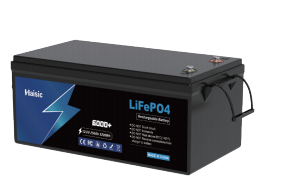
If you want a compact but serious backup bank, a deep‑cycle pack like our 12V 70Ah LiFePO4 battery is ideal for routers, cameras, and small home network systems.
Lead‑Acid vs Lithium for 12V Battery Backup
Use this to decide quickly:
| Scenario | Choose Lead‑Acid (AGM/Gel) | Choose LiFePO4 Lithium |
|---|---|---|
| Budget | Lowest upfront cost | Higher upfront, lower cost per year |
| Usage frequency | Rare outages, light use | Frequent outages, daily cycling |
| Required depth of discharge | Shallow (≤50%) | Deep (up to 80–90%) |
| Weight & space | Not a concern | Need light, compact setup |
| Expected lifespan | 2–4 years typical | 8–10+ years possible |
| Safety / indoor use | Needs ventilation, can vent gas | Very stable, ideal for indoor 12V UPS |
Rule of thumb:
- Short‑term, low budget, low usage → AGM / gel SLA is fine.
- Long‑term, serious backup, smart home gear, cameras, network → go LiFePO4 and don’t look back. A mid‑size pack like our 12V 23Ah LiFePO4 battery already covers most router + modem + CCTV backup needs with far better cycle life than any sealed lead‑acid.
Cycle Life, Depth of Discharge, Safety, Cost (Quick View)
| Battery Type | Usable DoD (daily) | Approx. Cycles | Safety | Cost Over 10 Years* |
|---|---|---|---|---|
| Flooded SLA | ~40–50% | 300–500 | Vent gas, needs care | High (many replacements) |
| AGM / Gel | ~40–60% | 400–800 | Better, still vents a bit | Medium–High |
| Li‑ion (NMC) | ~70–80% | 800–1,500 | Needs robust BMS | Medium |
| LiFePO4 | ~80–90% | 3,000–6,000+ | Excellent, very stable | Low (per year) |
*Total cost including replacements, not just the first purchase.
If you want your 12 volt battery backup to “just work” every outage for years, LiFePO4 is the strategic choice.
Key Specs to Check on a 12V Battery Backup
When you’re picking a 12 volt battery backup (12V UPS / DC UPS system), don’t just look at price. These are the specs that actually decide how long your gear stays online and how safe it is.
Battery capacity: Ah and Wh
- Ah (amp‑hours) tells you how much current the 12V battery can supply over time.
- Wh (watt‑hours) is even more useful:
Wh = Ah × 12V - For example, a 12V 20Ah battery ≈ 240Wh.
- For basic home network backup (router + modem), I usually recommend at least 80–150Wh. For CCTV, sump pump, or NVR, you’ll want 300Wh+.
Estimating backup runtime
Use this simple approach:
- Add up your device power draw in watts (W).
- Convert your battery to Wh.
- Use: Runtime (hours) ≈ Battery Wh × 0.8 ÷ Load W
- The 0.8 factor accounts for efficiency losses and real‑world conditions.
Example:
- Battery: 12V 20Ah = 240Wh
- Load: router (10W) + modem (8W) = 18W
- Runtime ≈ 240 × 0.8 ÷ 18 ≈ 10.6 hours
Output ports and voltages
Check that the 12V UPS matches what your devices actually use:
- 12V DC barrel outputs – for most routers, cameras, and alarm systems
- 5V USB / USB‑C – for phones, smart home hubs, IoT devices
- 9V / 24V / PoE (Power over Ethernet) – for certain routers, access points, and IP cameras
- Look for clearly labeled polarity (+ / –) and matching connector size, especially on mini UPS for router setups.
Charging speed and smart protection
A good 12 volt UPS system should charge safely and quickly without killing the battery:
- Input charging current: higher current = faster recharge (helpful in areas with frequent outages).
- Smart 12V charger / built‑in BMS should provide:
- Overcharge and over‑discharge protection
- Short‑circuit and over‑current protection
- Temperature protection
- High‑quality lithium 12V backup batteries and modern LiFePO4 packs usually have this built in.
If you’re looking at bigger, stackable systems for whole‑home backup, you’ll see similar protections in higher‑voltage packs like a 51.2V 100Ah LiFePO4 energy storage battery; the same logic just scales down to your 12V setup.
Size, weight, and mounting
For home and small office:
- Compact and lightweight is key if you’re mounting near a router, NVR, or under a desk.
- Wall‑mount options help keep cables tidy and off the floor (especially in basements and server closets).
- Check ventilation openings and avoid tight, sealed spaces to keep temperatures under control.
Compatibility with your gear
Before buying, confirm:
- Voltage: Does your router/camera/sump pump really run on 12V DC? Some gear is 9V or 24V.
- Current: The 12V backup must supply equal or higher amps than your device’s adapter rating.
- Connectors: Barrel plug size, PoE standard, or screw terminals for wired systems.
For higher‑demand setups like sump pump battery backup or off‑grid home network backup, many people combine a 12V battery with a 12V inverter and charger or step‑up systems from larger packs such as a 51.2V 100Ah high‑voltage LiFePO4 battery for whole‑house support.
Budget vs long‑term value
You’re basically choosing between lower upfront cost and lower total cost of ownership:
Sealed lead‑acid (SLA/AGM):
- Cheaper at the start
- Heavier, shorter cycle life, shouldn’t be deeply discharged often
- Good for occasional, short outages
Lithium / LiFePO4 12V backup battery:
- Higher upfront price
- Much longer cycle life, deeper discharge, lighter, faster charging
- Better if you have frequent outages, want reliable router battery backup, CCTV backup, or plan to use it daily
If you want something you can set up once and forget for years, lithium 12V battery backup is usually the smarter play, especially in regions with unstable grids or storm‑prone areas.
Benefits of Lithium 12V Battery Backup
Lithium 12V battery backup systems are simply better for frequent outages, smart homes, and critical gear. You get more usable energy, longer life, and far less hassle than old-school lead‑acid.
Why a lithium 12V battery backup is worth it
1. Longer runtime from the same capacity
With lithium (especially 12V LiFePO4), you can safely use 80–90% of the battery capacity, while sealed lead‑acid is usually only 40–50% usable if you want it to last.
| Battery Type | Rated Capacity | Usable Capacity | Typical Runtime* |
|---|---|---|---|
| 12V 50Ah lead‑acid | 600Wh | ~250Wh | 1× |
| 12V 50Ah LiFePO4 | 600Wh | ~500Wh | ~2× |
*Runtime comparison at the same load.
2. Deeper discharge without damage
Lithium 12V backup batteries handle deep cycles every day without killing the battery. Discharging to 80–90% depth of discharge is normal, while doing that to lead‑acid will ruin it fast.
3. Fast charging & high efficiency
Lithium 12V UPS systems charge faster and waste less power as heat. That matters if you get short breaks between outages and need your internet, CCTV, or sump pump backup ready again quickly.
4. Lightweight and compact
For the same capacity, lithium is 50–70% lighter than lead‑acid. That makes a huge difference if you’re wall‑mounting a 12V UPS for routers, cameras, or alarm systems, or using a portable 12V battery pack.
5. Built‑in BMS and safety protections
Most lithium 12V battery backups include an internal Battery Management System (BMS) with:
- Overcharge and over‑discharge protection
- Short‑circuit protection
- Temperature monitoring
- Cell balancing
That makes them safer for indoor backup power and “set it and forget it” use.
6. Lower total cost of ownership
Even if a lithium 12V backup battery costs more upfront, it usually wins over time:
- 3–5× more cycles than AGM or gel
- Less capacity loss over the years
- No regular replacements or maintenance
If you’re planning a bigger system later (for example stepping up to a home energy storage battery), starting with lithium 12V backups is simply the smarter long‑term move.
How to Size a 12 Volt Battery Backup System

Sizing a 12 volt battery backup system isn’t hard if you follow a simple step‑by‑step approach. The idea is: know how much power your devices use, decide how many hours you want them to run, then match that to the right 12V battery capacity (Ah / Wh).
1. Find Your Device Power Draw (W or A)
First, list everything you want on your 12V backup:
- Router / modem (often 9–12V, 5–20W)
- Security cameras and NVR
- LED lights
- Small 12V electronics or smart home hubs
Check each device label or adapter:
- If it lists Watts (W) → use that number.
- If it lists Amps (A) and Voltage (V):
- Watts = Volts × Amps
Example:
- Router: 12V, 1A → 12W
- Modem: 12V, 0.5A → 6W
- Total load = 18W
2. Convert Watts and Amps to 12V Battery Capacity
We size 12V batteries mainly in Ah (amp‑hours) and Wh (watt‑hours).
- Wh = W × hours
- Ah = Wh ÷ 12V
If you want to back up an 18W load for 8 hours:
- Wh = 18W × 8h = 144Wh
- Ah = 144Wh ÷ 12V ≈ 12Ah
Always add a margin (30–50%) for real‑world efficiency and battery aging.
3. Simple 12V Battery Backup Runtime Formula
If you already have a 12V battery:
- Available Wh ≈ Battery Ah × 12V × 0.8
(0.8 = 80% usable capacity to protect the battery)
Then:
- Runtime (hours) = Available Wh ÷ Load (W)
Example with a 12V 20Ah deep cycle battery:
- Available Wh ≈ 20Ah × 12V × 0.8 = 192Wh
- Load = 18W
- Runtime ≈ 192Wh ÷ 18W ≈ 10.6 hours
This quick “12V battery runtime calculator” approach works well for most home backup setups.
4. Example: 12V Router + Modem Backup
Let’s size a 12V UPS for router and modem:
- Router: 10W
- Modem: 8W
- Total = 18W
- Target runtime: 6 hours
Steps:
- Wh = 18W × 6h = 108Wh
- Ah = 108Wh ÷ 12V = 9Ah
- Add 30–50% headroom → choose a 12V 12–15Ah battery
So a 12V 15Ah lithium 12V backup battery will comfortably keep your internet and WiFi on through most outages.
5. Example: Security Camera and NVR Backup
For a basic security camera power backup:
- 4 CCTV cameras: 4 × 5W = 20W
- NVR: 25W
- Total = 45W
- Target runtime: 4 hours
- Wh = 45W × 4h = 180Wh
- Ah = 180Wh ÷ 12V = 15Ah
- Add margin → pick 20Ah or 30Ah (lithium or deep cycle AGM)
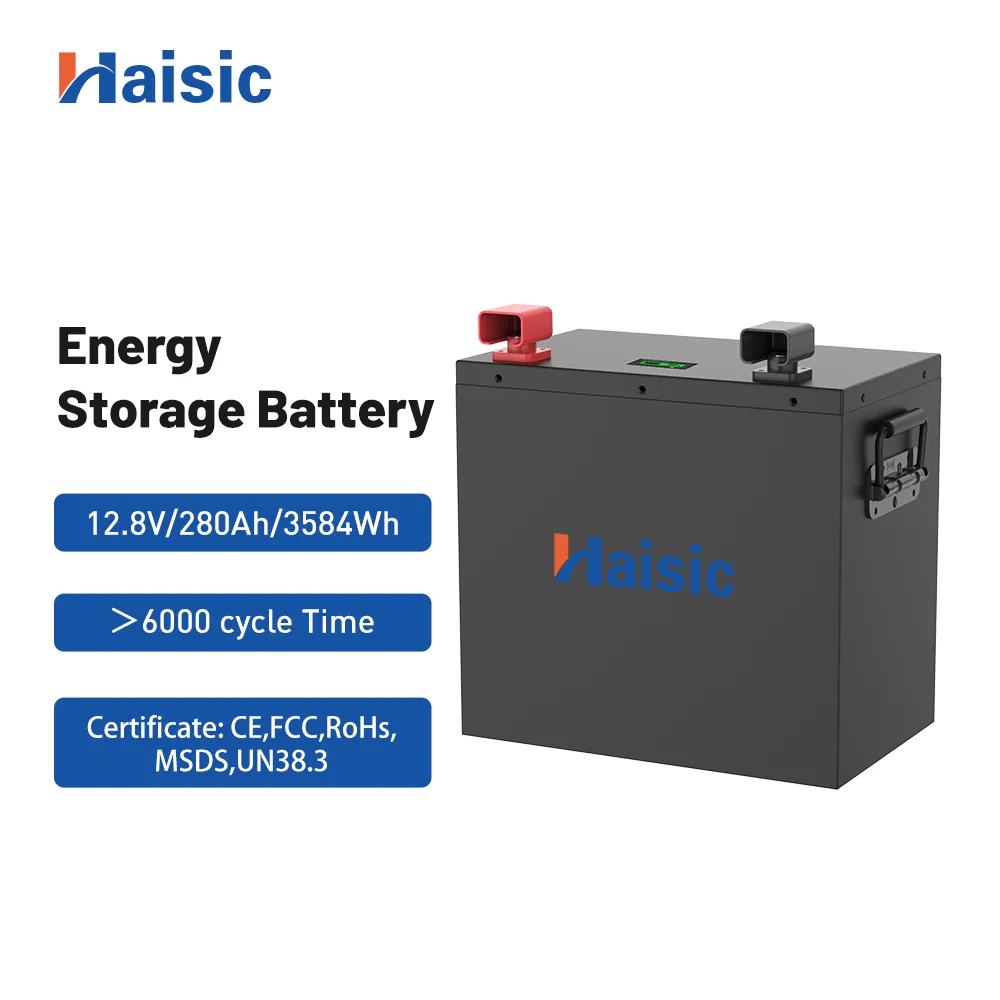
If you’re considering a larger off‑grid 12V power system or planning to integrate with solar later, it’s worth looking at a higher‑capacity 12V LiFePO4 battery bank similar in concept to this 12.8V 280Ah battery storage system design, just scaled to your home needs.
6. Choosing the Right Ah Rating for Your Setup
When picking Ah for a 12 volt UPS system, I keep it simple:
- ≤ 6 hours for router + modem
→ 12V 8–15Ah (lithium preferred) - Overnight (8–12 hours) for internet + a few cameras
→ 12V 20–40Ah - Heavier loads (NVR, multiple cameras, LED lights)
→ 12V 40Ah and above
Key tips:
- For lead‑acid (AGM / gel): don’t plan to use more than 50% of rated Ah regularly.
- For LiFePO4: you can safely use 70–80% of rated Ah.
- Always size a bit larger than your minimum calculation for better battery life and real‑world conditions.
Once you know your total watts, your target hours, and your preferred battery type (AGM vs lithium), choosing the right 12V backup Ah rating becomes straightforward and you can scale that same logic up into bigger home backup or hybrid solar setups, just like you’d do with larger battery storage systems for solar.
Installation and Setup Tips for a 12 Volt Battery Backup
Plug‑and‑play 12V UPS for routers and modems
If you’re just keeping internet online during an outage, a mini 12V UPS is the easiest route.
- Match the output voltage to your router/modem label (usually 9V or 12V DC).
- Use the included DC barrel adapter that fits your router’s power port.
- Plug the UPS into the wall, then connect the router to the UPS output.
- Test by unplugging the wall power – your router battery backup should keep WiFi on with no reboot.
Wired 12V backup for sump pumps and alarm systems
For heavier loads like sump pump battery backup or alarm panels, go wired and permanent.
- Use a dedicated 12V deep cycle battery plus a smart charger/12V UPS controller.
- Run cables directly from the battery or DC UPS to your alarm system, NVR, or pump controller.
- Add inline fuses close to the battery to protect wiring.
For whole‑home setups or when you’re already using a larger storage system, tying small 12V loads into a main unit like an all‑in‑one home energy storage system can be cleaner than running multiple small UPS units.
Cables, connectors, and polarity checks
Wrong polarity is what kills gear, not the battery itself.
- Most 12V gear uses a 5.5mm x 2.1mm or 2.5mm DC barrel plug.
- Always check: center pin = + (positive), outer shell = – (negative).
- Use color‑coded cables: red = +, black = –.
- If you crimp your own connectors, test with a multimeter before connecting to devices.
Safe placement, ventilation, and heat management
Even indoor‑safe, maintenance‑free 12V systems need basic airflow.
- Keep the battery backup off the floor in damp basements and away from sump pits.
- Avoid direct sun, heaters, or cramped cabinets with no airflow.
- Leave a few centimeters around vents on the 12V uninterruptible power supply case.
- For larger lithium or high‑capacity LiFePO4 storage systems, follow the vendor’s temperature and clearance rules strictly.
Integrating 12V backup with home network and security
You can run a lot of low‑voltage gear from a single 12V backup system:
- Put your modem, router, WiFi mesh node, and PoE switch on the same DC UPS or power bank.
- Feed CCTV cameras, NVR, and alarm panel from one fused 12V DC bus.
- Label each cable and circuit so you know what’s protected and where to expand later.
- Keep the backup hub near your network rack or low‑voltage panel for cleaner wiring.
Basic safety do’s and don’ts for 12V batteries
Treat your 12V DC backup power like any other energy system.
Do:
- Use a smart 12V charger with overcharge and short‑circuit protection.
- Fuse each output line sized for the cable and load.
- Check terminals for corrosion and tightness a few times a year.
Don’t:
- Don’t short the terminals or place metal tools across them.
- Don’t mix old and new batteries in the same 12V bank.
- Don’t charge or run batteries in sealed boxes with zero ventilation.
Set up right, a 12 volt battery backup gives you silent, automatic protection for your router, cameras, alarms, and critical DC loads with almost no day‑to‑day hassle.
12V Battery Backup Maintenance and Troubleshooting
Keeping a 12 volt battery backup healthy is the only way to trust it when the power goes out. Here’s how I manage 12V UPS systems so they last longer and actually work when needed.
Monitor 12V Battery Health and Voltage
For any 12V UPS or DC backup power system, I track three basics:
- Resting voltage check (battery disconnected, rested 1–2 hours):
- 12.7–12.9V = fully charged (lead-acid/AGM)
- 13.2–13.4V = typical full LiFePO4 12V battery
- Below 12.0V = deeply discharged, needs charge ASAP
- Use a simple multimeter or the battery’s built‑in display/BMS app (common on lithium 12V backup batteries).
- Watch for fast self‑discharge (voltage dropping quickly while idle) – that usually means the battery is aging or failing.
Charging Habits That Extend Battery Life
Good charging habits are the difference between a 3‑year and a 10‑year backup system:
- Use a smart 12V charger with proper charge profile (AG
12 Volt Battery Backup FAQs
How long will a 12V battery backup run my router?
It depends on your router’s power draw and the battery capacity.
- Formula: Runtime (hours) ≈ (Ah × 12V × 0.8) ÷ router watts
- Example: 12V, 10Ah battery → usable ~96Wh
- Router uses 10W → ~9 hours
- Router + modem at 20W → ~4–5 hours
Check the label on your router or its adapter (e.g., 12V 1A ≈ 12W) and size your 12V UPS accordingly.
Can a 12V battery backup run a sump pump?
Usually not directly. Most sump pumps are 120V/230V AC and pull high surge current. A 12V battery backup system for a sump pump normally needs:
- A deep cycle 12V battery (often multiple in parallel)
- A proper inverter/charger rated for the pump’s surge wattage
- A dedicated sump pump backup controller
Don’t try to run a sump pump from a small mini UPS for router use; it will either shut down or be damaged.
Is a lithium 12V backup worth the extra cost?
For most home users who want reliable backup for routers, cameras, LED lights, and smart home gear, the answer is yes if:
- You have frequent outages
- You want long cycle life (2,000+ cycles vs ~300–500 on lead-acid)
- You care about weight and size
A quality 12V LiFePO4 battery costs more upfront but usually wins on total cost per year and long-term reliability. For larger systems, I’d look at higher-voltage LiFePO4 packs, like a 51.2V LiFePO4 battery bank feeding DC-DC converters for stable 12V backup.
How much capacity do I need for overnight backup?
For 8–12 hours of backup, I recommend:
- Add up your loads (router, modem, cameras, NVR, etc.) in watts.
- Use: Ah ≈ (Watts × hours) ÷ (12V × 0.8)
Example (overnight, 10 hours):
- Router + modem: 20W
- 4 cameras + NVR: 30W
- Total: 50W
- Ah ≈ (50 × 10) ÷ (12 × 0.8) ≈ 52Ah
So you’d want at least a 12V 50–60Ah battery, preferably LiFePO4 for deep discharge.
Are 12V battery backups safe to use indoors?
Yes, if you choose the right type and install correctly:
- LiFePO4 and sealed AGM: Best for indoor use, low gas, low maintenance
- Flooded lead-acid: Avoid indoors; they vent gas and need maintenance
Basic safety:
- Keep in a cool, dry, ventilated spot
- Avoid direct sunlight and heat sources
- Use a proper charger/12V UPS controller with overcharge and short-circuit protection
Can I expand my 12V backup system later?
Usually yes, but plan ahead:
- Match voltage and chemistry (e.g., all 12V LiFePO4, same brand/series if possible)
- For more runtime, add batteries in parallel, not series
- Make sure your charger/UPS unit supports the total Ah
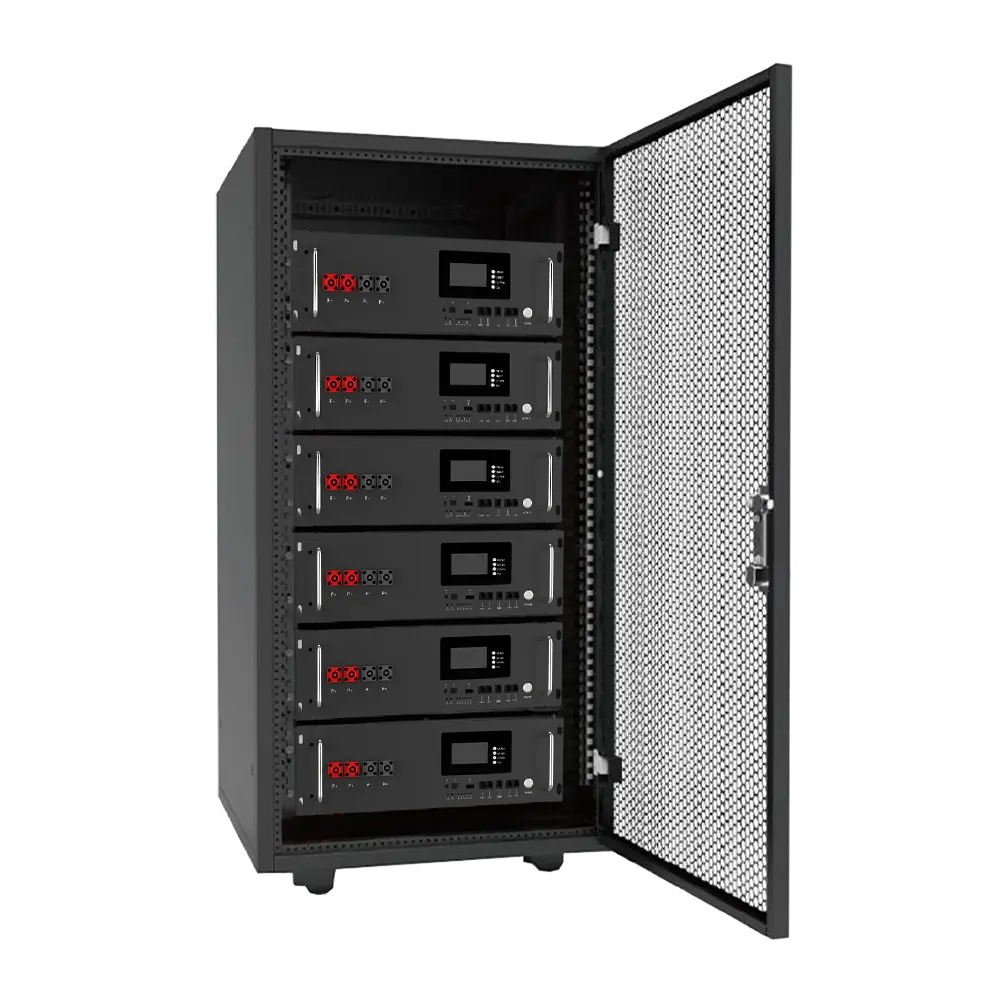
For bigger expansion (whole-home or large network/CCTV backup), it’s often smarter to step up to a 48V or 51.2V LiFePO4 rack system and then drop down to 12V with DC-DC converters.
What’s the difference between a 12V UPS and a power bank?
12V UPS (DC UPS / 12V uninterruptible power supply):
- Designed for always-on use
- Switches to battery instantly during power failure
- Has fixed 12V (and sometimes 9V/5V) outputs
- Often wall-mounted, wired to router, modem, cameras, alarm, etc.
Power bank:
- Designed for portable charging
- Usually outputs USB 5V, maybe some 9V/12V ports
- Not meant to stay plugged in 24/7 as a seamless backup
- No true “zero-switch” UPS function
If your goal is internet power outage backup and keeping your home network online, a 12V UPS for router/modem is the right tool, not a simple power bank.