











Understanding Home Backup Power Needs
If you’re asking how many batteries for home backup, you’re really asking: how much of my house do I want to keep running, and for how long? Before thinking about brands or models, you need a clear picture of your actual backup power needs.
Partial vs Whole Home Backup
First, decide between partial backup and whole home battery backup:
Partial / essentials-only backup
- Keeps only critical circuits on a backup battery system
- Typical loads: fridge, lights, Wi‑Fi, phone/laptop charging, gas boiler or furnace fan, maybe a small window AC or a few outlets
- Needs fewer batteries and a smaller inverter, so the home battery backup sizing and cost stay low
Whole home backup
- Powers almost everything: central AC, electric oven, well pump, laundry, multiple rooms, maybe EV charging
- Requires a larger lithium battery bank for home, higher peak power (kW), and much more solar battery storage capacity (kWh)
- Great for comfort, but you’ll need more batteries and a higher budget
Most homeowners start with partial backup and scale up later with a scalable home battery system.
Average Daily kWh Use and Regional Differences
Your daily energy use in kWh (kilowatt-hours) is the foundation of any home energy storage system:
- A typical home uses around 20–40 kWh per day
- Small apartments or efficient homes: 10–20 kWh/day
- Large homes with electric heating or big AC: 40–80+ kWh/day
Region matters:
- Hot climates (heavy air conditioning) = higher summer usage
- Cold climates (electric heating, heat pumps) = higher winter usage
- Areas with frequent blackouts or storms may need longer power outage backup batteries and more days of coverage
This is why two homes with the same size can need very different kWh for home backup.
Essentials-Only vs Full-Home Comfort
To decide how many batteries for home backup, be honest about your comfort level during an outage:
Essentials-only backup
- You accept some inconvenience
- Focus on essential loads backup power: cold food, basic lighting, internet, medical devices
- Great if outages are rare or short (a few hours to 1–2 days)
Full-home comfort backup
- You want life almost “normal” when the grid fails
- You keep AC/heat, cooking, entertainment, and more running
- Best if you face long outages, work from home, or live in extreme climates
The more comfort you want, the more solar battery storage capacity you’ll need, and the more units you’ll stack in your home battery backup system.
Common Backup Goals During Outages
Most homeowners have one or more of these goals when sizing battery backup for blackouts:
- Keep food safe – run fridge and freezer reliably
- Stay connected – power Wi‑Fi, phones, laptops, home office
- Stay safe – lights, security systems, medical equipment, sump pump
- Stay comfortable – fans or AC in summer, heating circulation in winter
- Avoid generator noise and fuel – use a clean, quiet, lithium battery backup instead
Once you’re clear on your goals and how much of your home you actually need to back up, it becomes much easier to calculate how many batteries your home battery backup system really requires.
How to Calculate How Many Batteries You Need
If you want to size a home battery backup system properly, you only need a few numbers and a simple formula. Here’s how I’d do it step by step.
1. Check your daily energy use (kWh)
Grab your latest utility bill and look for:
- Total kWh used in the billing period
- Number of days in the period
Then calculate:
- Daily kWh use = Total kWh ÷ Days
Example: 900 kWh in 30 days → 30 kWh/day
This gives you a baseline for whole home battery backup sizing.
2. List your critical loads and wattage
If you’re planning essentials-only backup, don’t size for the whole bill. List what must stay on in a blackout:
- Fridge/freezer (e.g. 150–250 W running)
- Wi-Fi/router (~10–20 W)
- Laptop/phones (~50–150 W total)
- LED lights (~10 W per bulb)
- Fan or small AC in one room (500–1,000 W)
- Sump pump / well pump if needed
You can:
- Check the label on the device (Watts or Amps x Volts)
- Use a plug-in power meter for more accurate home battery backup sizing
3. Estimate running hours per day
For each device, note how many hours per day you want it active during an outage:
- Fridge: ~8 hours equivalent run time / day
- Lights: 3–5 hours / day
- Wi-Fi: 12–24 hours / day
- Fans / AC: depends on climate (4–10 hours / day)
The more realistic you are here, the more accurate your home battery backup plan will be.
4. Convert watts and hours into kWh
Use this simple formula:
Energy (kWh) = Watts × Hours ÷ 1,000
Example for one device:
- Fridge: 200 W × 8 h = 1,600 Wh = 1.6 kWh/day
Do that for every critical load, then add them up.
That total is your daily backup energy need for essential loads.
5. Decide how many days of backup you want
Ask yourself: “How long do outages usually last here?”
Common targets:
- 1 day (24 hours) – for most urban homes
- 2–3 days – for areas with storms or unreliable grids
- 3–7 days – for rural or off-grid battery requirements
Then:
Total kWh needed = Daily backup kWh × Number of days
Example: 8 kWh/day of critical loads × 2 days = 16 kWh
6. Factor in losses + depth of discharge
Real systems aren’t 100% efficient. You must factor in:
- Round-trip efficiency (battery + inverter): usually ~85–95%
- Depth of discharge (DoD):
- LiFePO4 / lithium home batteries: typically use 80–90% of rated capacity
- Lead-acid: often only 50% usable
To keep it simple for lithium battery banks:
Required battery capacity (kWh) ≈ Total kWh needed ÷ 0.85
Example:
16 kWh needed ÷ 0.85 ≈ 18.8 kWh of battery storage
This is your solar battery storage capacity or grid-charged capacity target.
7. Use a simple kWh formula to size your battery bank
Here’s the full, compact formula you can reuse:
Battery bank (kWh) =
Σ (Device watts × hours ÷ 1,000) × Days ÷ (Efficiency × DoD)
For lithium batteries, you can approximate:
Battery kWh ≈ Daily backup kWh × Days × 1.15
8. Quick worked examples (small / medium / large homes)
These are rough, but they’ll give you a feel for how many batteries for home backup you might need.
Small apartment (essentials only)
- Critical loads: 3–5 kWh/day
- 2-day backup: 5 × 2 × 1.15 ≈ 11.5 kWh
→ 1 mid-size home battery is often enough.
Medium home (partial backup)
- Critical + comfort circuits: ~8–12 kWh/day
- 2-day backup: 10 × 2 × 1.15 ≈ 23 kWh
→ Likely 1–2 larger modules or 2 standard batteries.
Large home (whole home battery backup)
- Full use: 25–40 kWh/day
- 2-day backup: 30 × 2 × 1.15 ≈ 69 kWh
→ Typically 3–4 large home battery units, depending on brand capacity and peak power needs.
For example, a single ~20 kWh class LiFePO4 unit like our 20.48 kWh touchscreen home energy storage battery will usually cover:
- 1–2 days of essentials-only backup in a typical home, or
- 1 day of partial backup in a medium home.
9. Use online battery sizing calculators
To double-check your numbers, you can:
- Search for “home battery backup sizing calculator” or “off-grid battery bank calculator”
- Plug in your daily kWh, days of autonomy, battery type, and DoD
Use that as a cross-check against your own math so you don’t undersize the system.
Once you know your target kWh, it’s straightforward to map that to how many battery modules you need, whether that’s a Tesla Powerwall setup, a lithium battery bank for home, or a modular LiFePO4 stack like ours.
Battery Needs for Common Home Backup Scenarios
Essentials-only backup (lights, fridge, Wi‑Fi, small devices)
If you just want to keep the basics running during a blackout, you’re usually covering:
- LED lights
- Fridge/freezer
- Wi‑Fi router
- Phone/laptop charging
- Maybe a small fan or TV
For most homes, 3–7 kWh of home battery backup will comfortably handle essentials for a night, and 7–15 kWh can usually cover 24 hours of light essential use if you’re conservative.
Typical essentials-only setup:
- Small apartments / very efficient homes: 1–2 batteries of ~3–5 kWh each
- Average homes: 1 home battery in the 5–10 kWh range
- Light-use families wanting 1–2 days: 10–15 kWh total storage
If you use a modular home energy storage system like a LiFePO4 wall battery, you can start with a single unit and stack more later as your needs grow.
Partial home backup (more circuits, more comfort)
Partial backup means you’re powering more than the basics, but not every circuit in the house. Common adds:
- More lighting circuits
- Some outlets in living areas and bedrooms
- Garage door, gate motors, basic kitchen outlets
- Possibly a small split AC or a well pump (depending on region)
For this, most families land around 10–20 kWh of home battery storage for 1 day of reasonable comfort (no heavy electric heating or big AC loads running all day).
Typical battery count for partial backup:
- Compact homes / low users: 2 x 5–10 kWh batteries
- Average global family home: 15–20 kWh total (often 2–3 batteries)
- Higher-use homes or longer outages: 20–30 kWh with good load management
Modular lithium battery systems make this easy: you can build a scalable home battery system in 5 kWh steps instead of overbuying upfront.
Whole home backup (including high‑draw appliances)
Whole-home backup covers almost everything:
- Multiple AC units or heat pumps
- Electric oven, cooktop, dishwasher
- Well pump, pool pump, dryer, maybe some EV charging
- All lighting and outlets
Once you include high‑draw appliances, the kWh for home backup rises fast. Many full-home systems sit in the 20–40+ kWh range for 1 day of near-normal use.
Typical full-house battery quantities:
- Efficient small homes: 15–20 kWh (tight usage control)
- Standard family homes: 20–30 kWh
- Large or high-consumption homes: 30–60 kWh+, especially in hot or cold climates with heavy HVAC loads
In practice, most owners set up whole home backup but still manage major loads manually (e.g., don’t run oven, dryer, and AC together during an outage).
Real examples: Tesla Powerwall, EcoFlow & modular setups
To give you a feel for how many batteries for home backup in real-world brands:
Tesla Powerwall (Powerwall 2 / 3 are ~13–14 kWh usable)
- Essentials-only: 1 Powerwall
- Partial home backup: 2 Powerwalls (26–28 kWh)
- Whole home backup: 2–4 Powerwalls depending on house size and climate
EcoFlow home systems (e.g., DELTA series with expansion batteries, typically 2–3 kWh per module, stackable)
- Small essentials-only setups: 1 main unit + 1–2 expansion batteries
- Partial backup: 3–6 modules total
- Whole home (light use + smart load management): larger EcoFlow “Power Hub + batteries” stacks
Scalable LiFePO4 wall batteries (like a 5–10 kWh home lithium battery storage unit)
- Start with one 5–10 kWh battery for essentials
- Add more modules (up to 20–40+ kWh) as your backup goals grow or you add solar
If you’re planning a flexible system for global utility conditions and mixed outage risk, going with modular lithium battery storage for home lets you match your budget now and expand later as you learn your real-world backup needs.
Key Factors That Change How Many Batteries You Need
When people ask “how many batteries for home backup?”, the real answer depends on a few key details in your home and lifestyle. Here’s what actually moves the number up or down.
Battery chemistry & depth of discharge
Battery chemistry decides how much of the rated capacity you can really use:
LiFePO4 / lithium home batteries
- Usable capacity: 80–90% of the label (high depth of discharge)
- Long cycle life, stable performance
- Ideal for daily cycling and serious home battery backup sizing
Lead‑acid batteries
- Usable capacity: often 40–50% if you want decent lifespan
- Heavier, need more units for the same usable kWh
Same “10 kWh” label, totally different usable energy. With LiFePO4 you usually need fewer batteries for the same backup time.
Round‑trip efficiency & inverter losses
You never get 100% of what you put in:
- Battery + inverter round‑trip efficiency is usually 80–92%
- Cheap inverters and mismatched systems waste more energy
- Lower efficiency = you must oversize your battery bank to cover the same kWh
If you’re pairing batteries with a quality off‑grid/hybrid inverter, like a pure sine wave unit similar to the 5 kW–6 kW off‑grid solar inverter systems, you’ll typically need fewer batteries to hit your backup target.
Peak power vs total energy (kW vs kWh)
Two separate sizing questions:
- kW (power) = Can the system run everything at once?
- Think: starting a well pump, AC, or microwave together
- kWh (energy) = How long can it run those loads?
You can have enough kWh but not enough kW, and the system will trip when a big motor starts. For whole home battery backup, you size:
- Inverter kW for your peak loads
- Battery kWh for the hours/days of runtime
Climate, temperature & seasonal outages
Your location changes how many batteries you really need:
- Cold climates: batteries lose usable capacity in low temps; you may need a bigger bank or indoor install
- Hot climates: continuous air‑con needs a lot of kWh
- Seasonal storms / monsoon / hurricane areas: plan for longer outages and more days of autonomy
If you’re off‑grid or in a region with frequent blackouts, a scalable home battery system you can expand later is much safer than buying a fixed, undersized setup.
Outage history & risk tolerance
Two neighbors with the same house might choose very different battery sizes:
- If you rarely lose power and it’s fixed in 1–2 hours, an essentials‑only backup is enough
- If your grid fails for 8–72 hours multiple times a year, you’ll want much more kWh
- If you work from home, run medical devices, or rely on pumps, your risk tolerance is lower — that means more battery capacity as insurance
Future upgrades: EVs & new appliances
Think ahead 3–5 years:
- EV charging can add 10–30 kWh per day easily
- Adding electric heating, a second fridge, or more AC units changes your daily kWh
- It’s cheaper to install a modular, expandable battery bank now than to replace an undersized system later
I always recommend choosing a system that lets you stack more units, similar to a rack‑stackable energy storage setup like the TQS4 stackable power energy storage series.
Space limits & electrical panel capacity
Physical and electrical limits also cap how many batteries you can use:
- Wall space or floor space for indoor/outdoor battery cabinets
- Weight limits on walls/floors
- Main panel size (100A vs 200A) and available breaker space
- Local code rules on how many circuits can be backed up
In tight spaces, higher‑density lithium battery banks for home usually give you more kWh per square meter, so you can still hit your home battery backup sizing goal without needing a dedicated room.
Home Backup Battery Types and Options

When people ask “how many batteries for home backup,” the type of battery you choose matters just as much as the size. It affects cost, lifespan, and how scalable your home energy storage system is.
Lithium-ion vs LiFePO4 Home Batteries
Most modern home battery backup systems use either NMC/NCA lithium-ion (like Tesla Powerwall) or LiFePO4 (LFP).
| Type | Best For | Key Benefits | Main Drawbacks |
|---|---|---|---|
| NMC / NCA | Compact whole home battery backup | High energy density, small footprint | Shorter cycle life, more heat-sensitive |
| LiFePO4 | Long-term, heavy-use home battery backup | Very long cycle life, safer, stable chemistry | Slightly larger for same kWh |
I strongly lean on LiFePO4 for home battery backup sizing because:
- You get more usable cycles (ideal if you discharge daily or during frequent blackouts).
- It runs cooler and is safer in residential spaces.
- Depth of discharge is typically higher (80–90%+ usable), so you often need fewer kWh of batteries for the same real backup time.
Pros and Cons of Common Home Battery Chemistries
LiFePO4 (LFP)
- Pros: Long life, high usable capacity, safer, great for solar battery storage capacity.
- Cons: Slightly bulkier, usually higher upfront cost per unit.
Standard lithium-ion (NMC/NCA)
- Pros: Slim, compact, great for tight spaces and whole home battery backup in garages.
- Cons: Shorter lifespan, more temperature-sensitive.
Lead-acid (AGM/gel)
- Pros: Low upfront price.
- Cons: Heavy, low usable depth of discharge (often 50%), short life; you usually need more batteries to get the same effective kWh.
Modular Battery Systems You Can Expand Later
If you’re unsure how many batteries you need for home backup, modular systems are the best move. You start small and add units as your needs grow.
Look for:
- Stackable or rack-based batteries with plug-and-play expansion.
- Clear max stack limits (e.g., “up to 8 units in parallel”).
- BMS and inverter combos designed as a scalable home battery system, so your backup grows with extra loads or EV charging.
Wall-Mounted vs Rack-Mounted Storage
Both layouts can support whole home battery backup; the right choice depends on space and power needs:
| Type | Where It Fits Best | Pros | Watch Out For |
|---|---|---|---|
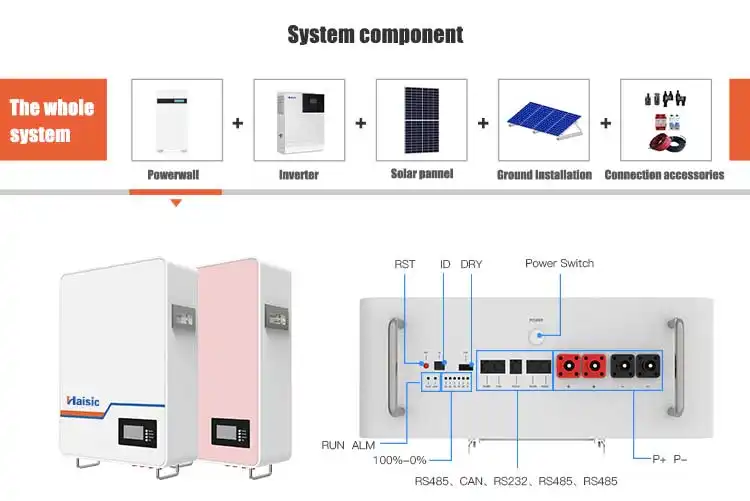
| Wall-mounted | Garages, utility rooms, tight city homes | Clean look, saves floor space | Lower max capacity per unit/wall area |
| Rack-mounted | Basements, equipment rooms, small buildings | High kWh in compact footprint, modular | Needs floor space and simple framing |
For higher capacity setups (large homes, villas, small buildings), I use rack-mounted LiFePO4 banks or even containerized systems similar to a scaled-down version of a commercial energy storage system.
Whole-Home Backup Batteries vs Portable Power Stations
Whole-home battery backup systems
- Hard-wired into your electrical panel.
- Run key circuits or your entire house automatically during outages.
- Ideal if you want seamless power outage backup batteries for fridges, lights, AC/heat, and more.
Portable power stations
- Great for essential loads backup power: phone charging, laptops, Wi‑Fi, a few lights, maybe a small fridge.
- Not designed to power central AC, electric ovens, or full-house loads.
- Good as a first step, but if you want true whole home battery backup, you’ll usually need a fixed, modular LiFePO4 system sized in kWh for home backup instead of only portable units.
Comparing Popular Home Battery Systems
Typical Capacity per Battery (kWh)
Here’s what a single battery unit usually gives you for home backup:
- Tesla Powerwall 3: ~13.5 kWh per unit
- EcoFlow Whole-Home / Power Kits (LiFePO4): commonly 5–10 kWh per module
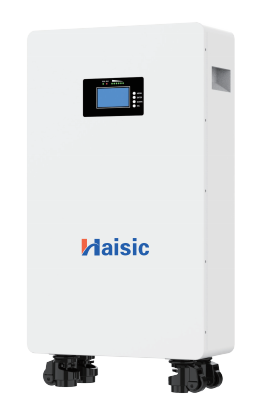
- Haisic LiFePO4 home batteries: modular designs from 5 kWh class units up to 32 kWh all‑in‑one systems and high‑voltage racks above 20 kWh per cabinet
In most real homes, you’re aiming for 10–40 kWh of home battery backup depending on whether you want essentials-only or near whole-home coverage.
How Many Units for Common Backup Targets
Rough rule for popular systems (usable kWh):
10 kWh target
- 1× Powerwall (13.5 kWh, some headroom)
- 2× 5 kWh EcoFlow / LiFePO4 modules
- 1× compact Haisic 5–10 kWh module (essentials-only setup)
20 kWh target
- 2× Powerwall (27 kWh total)
- 3–4× 5–7 kWh EcoFlow style batteries
- 1× Haisic 20+ kWh cabinet or a 32 kWh all‑in‑one system for more days of protection
30–40 kWh target (partial to whole home)
- 3× Powerwall (40.5 kWh)
- 4–6× EcoFlow / similar LiFePO4 packs
- 1–2× Haisic high‑voltage storage cabinets sized around 21–32 kWh each
Stacking Limits and Expandability
Most whole home battery backup systems are modular and stackable, but each brand has limits:
Tesla Powerwall
- Typically up to 10 units per system in many markets
- Good for large homes but has fixed form factor and brand‑locked ecosystem
EcoFlow & similar modular systems
- Stack multiple base units plus extra expansion batteries
- Great for flexible setups, cabins, or mixed grid/off‑grid use
Haisic LiFePO4 systems
- Designed as a scalable home battery backup with stackable modules and high‑voltage cabinets
- Easy to start small and expand later as your usage or solar grows
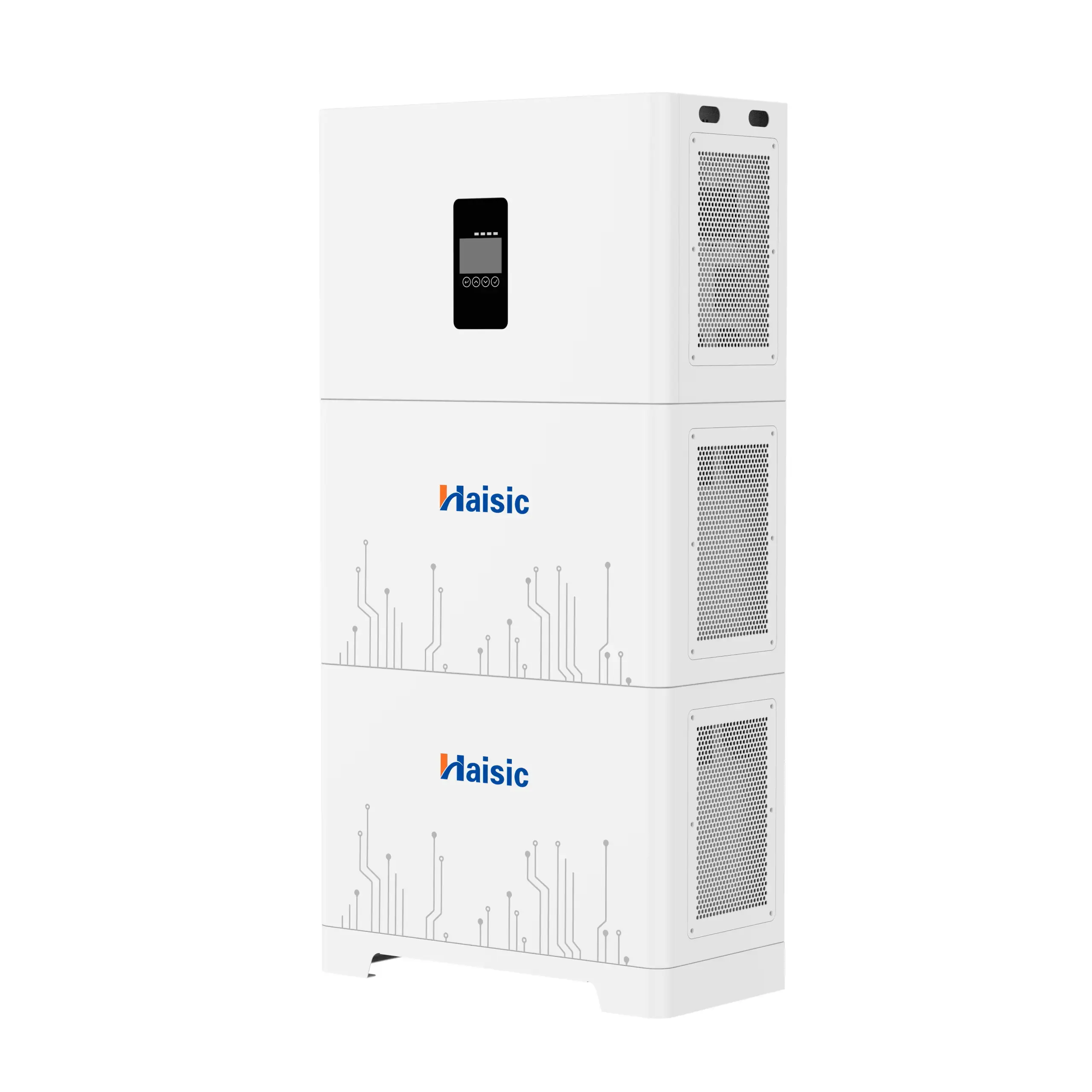
- Options like the Haisic 32 kWh all‑in‑one home energy storage system give you inverter + battery in one box, and you can pair multiple units for larger homes
Real‑World Examples
Tesla Powerwall setups
- Small home / essentials: 1 Powerwall (13.5 kWh) – lights, Wi‑Fi, fridge, a few plugs
- Average suburban home: 2 Powerwalls (~27 kWh) – partial backup with some AC and cooking control
- Large high‑usage home: 3+ Powerwalls (40.5+ kWh) – near whole‑home backup if usage is managed
EcoFlow and similar modular systems
- Apartment / small house: 1 base + 1 extra battery (5–10 kWh)
- Family home: 3–4 modules (15–25 kWh) for fridges, lights, sockets, and some HVAC
- Off‑grid cabin: 4–6 modules (20–40 kWh) with solar recharge
Where Haisic Batteries Fit in for Home Backup
I position Haisic as a Tesla Powerwall alternative for people who want:
- More flexible sizing: from smaller modular packs to large high‑voltage cabinets
- High‑cycle LiFePO4 chemistry: deeper usable capacity and longer life vs many older chemistries
- Scalable home battery systems that work for essentials-only all the way up to full‑house backup
If you want a single unit that already covers most medium homes, the 32 kWh all‑in‑one system is a strong choice, while high‑voltage cabinets like the Haisic 21.5 kWh HV LiFePO4 system fit well for stacked, whole‑home battery backup and hybrid solar setups.
Costs, Incentives, and Installation Tips for Home Backup Batteries
Average Cost per kWh of Home Battery Storage
For most home backup systems, you’re typically looking at around $400–$900 per usable kWh installed, depending on:
- Battery chemistry (LiFePO4 usually costs more upfront, but lasts longer)
- Brand (Tesla, EcoFlow, or alternatives like Haisic)
- Inverter, wiring, and labor in your region
If you want a quick ballpark:
- 10 kWh backup: often in the $6,000–$12,000 range installed
- 20 kWh backup: around $12,000–$20,000+ installed
The more scalable and modular the system (like a stackable LiFePO4 battery bank), the easier it is to grow capacity over time without a huge upfront bill. If you want a more detailed breakdown of cost vs capacity, I cover that in depth in this cost of solar battery storage guide on my site: cost of solar battery storage.
Total System Cost by Backup Size
Here’s a simple way to think about typical whole home battery backup budgets (battery + inverter + install):
| Backup Level | Approx. Usable kWh | Typical Use Case | Rough Installed Cost* |
|---|---|---|---|
| Small / Essentials-only | 5–10 kWh | Lights, Wi-Fi, fridge, small devices | $4,000 – $10,000 |
| Medium / Partial-home | 10–20 kWh | Essentials + a few circuits (TV, PC) | $8,000 – $18,000 |
| Large / Whole-home (no EV/AC) | 20–30 kWh | Most of house, careful with big loads | $15,000 – $30,000+ |
| Heavy use / Whole-home + EV/AC | 30–60+ kWh | Full comfort, longer outages | $25,000 – $60,000+ |
*These are typical US-style retail ranges. Local labor, incentives, and brand choice can swing this up or down.
Federal and State Incentives & Tax Credits
In many countries, especially the US, battery backup for blackouts can qualify for serious incentives:
- US Federal Tax Credit (ITC): Up to 30% credit on the total installed cost if paired with solar under current rules. Some areas now support standalone batteries too.
- State / provincial rebates: Some regions (like California, parts of Europe, Australia) offer extra rebates per kWh or for home energy storage systems that support the grid.
- Utility programs: Time-of-use, demand response, or bill-credit programs can give cash or bill savings if your solar battery storage capacity helps stabilize the grid.
Always check your local tax rules and utility programs before buying. Incentives can easily cut your cost by 30–50%.
Payback Period and ROI Considerations
The payback period for a home battery backup system depends on:
- How often your power goes out (and how painful that is for you)
- Electricity prices and time-of-use rates in your region
- Whether you already have solar and can charge the batteries cheaply
- Available tax credits and rebates
From an ROI perspective, batteries can pay off in two ways:
- Financial – shaving peak rates, storing cheap solar, avoiding backup generator fuel and maintenance.
- Practical – keeping your home running during storms, heat waves, and grid failures.
Most customers I work with see “payback” as a mix of bill savings + reliability. Pure financial ROI might be 7–15 years, but the value of not losing food, business, or comfort during outages is hard to put a number on.
When to Choose Professional Installation
I recommend professional installation when:
- You’re planning whole home battery backup or tying into the main panel
- You need automatic transfer when the grid fails
- Local codes require licensed electricians for anything beyond plug-in systems
- You’re stacking higher-voltage systems like 48V or 51.2V LiFePO4 battery banks
Pros handle:
- Proper wire sizing, fusing, and grounding
- Integration with your main panel and critical loads subpanel
- Safety disconnects and code-compliant layouts
- Passing inspections on the first try
For larger systems, pro install usually saves time, reduces mistakes, and keeps warranties clean.
Risks and Limits of DIY Battery Installs
DIY can work for small, portable, or single-circuit setups, but be realistic about the limits. The risks include:
- Electrical shock and fire risk if wiring or overcurrent protection is wrong
- Code violations that can affect insurance or home resale
- Voided warranties on batteries or inverters
- Incorrect battery sizing that underperforms during real outages
If you do DIY:
- Stay within your comfort zone and local rules
- Use pre-engineered, modular systems with clear manuals
- Hire an electrician at least to check connections and breakers
Permits, Inspections, and Safety Requirements
Most permanent home energy storage systems require:
- Electrical permit from your local authority
- Sometimes a building or fire permit depending on battery size and chemistry
- Final inspection before the system is legally commissioned
Expect safety rules around:
- Location (away from bedrooms, ignition sources, flood-prone spots)
- Ventilation and clearance
- Disconnect switches accessible to first responders
- Labeling and documentation at the main panel
Working with a pro installer or a reputable battery provider makes this smoother. For example, my 51.2V 100Ah stackable LiFePO4 storage system is designed from the ground up to be easy to permit and scale, which simplifies the paperwork and inspection side: stackable 51.2V 100Ah LiFePO4 battery.
When you plan costs for home battery backup sizing, always include permits, inspections, and safety gear in the budget—these are not optional, and doing it right from day one keeps your home, system, and investment safe.
Planning and Sizing Home Backup Batteries with Solar Panels
When you add solar, “how many battery for home backup” becomes less about guessing and more about planning your day–night flow of energy.
How solar changes how many batteries you need
Solar cuts your battery needs in two big ways:
- Daytime loads run directly on solar, so you don’t need to store all your daily kWh in batteries.
- Batteries mainly cover nights and bad-weather hours, not 24/7.
If your solar array can cover most of your daytime usage, you usually size your home battery backup to:
Nighttime use (kWh) × number of backup days × safety factor (1.1–1.3)
Instead of backing up your full daily kWh, you’re backing up the gap between what solar makes and what you use.
Daytime solar vs nighttime battery use
Think in two blocks:
Daytime (solar hours)
- Solar powers live loads (AC, fridge, lights, devices).
- Extra solar goes into your lithium battery bank for home backup.
Nighttime
- No sun, so you run on your home battery storage capacity only.
- High-draw loads at night (electric ovens, EV charging, pool pumps) will demand more kWh and more batteries.
If you’re in a hot climate running AC at night, you’ll need larger whole home battery backup than someone who only runs lights, a fridge, and Wi‑Fi.
Hybrid solar + battery for longer outages
A hybrid solar battery setup (solar + inverter + batteries + grid connection) lets you:
- Use solar during the day even when the grid is down.
- Recharge the batteries each day, stretching a 1–2 day battery bank into multi‑day blackout backup.
- Prioritize essential loads backup power to make a smaller battery bank feel much “bigger”.
Paired with a modular system (for example, a scalable LiFePO4 pack similar to our 15kWh Haisic home solar battery), you can start small and add more kWh if outages are longer than expected.
Grid-tied vs off-grid battery backup
How many batteries you need changes a lot depending on the setup:
Grid-tied with backup (most homes)
- Grid covers normal days; batteries handle short power outage backup.
- Typically 10–40 kWh is enough for essentials or partial home backup.
Off-grid battery requirements
- No grid safety net – batteries must cover multiple cloudy days.
- You often size for 2–5 days of autonomy, which can mean 40–100+ kWh depending on your usage.
Off-grid = more batteries. Grid-tied = you can be more aggressive and lean.
Net metering, export limits, and backup behavior
Your local utility rules also affect “how many battery for home backup” makes sense:
Strong net metering (good buyback rates):
- You may not need massive batteries for ROI; treat them mainly as blackout backup.
Export limits or poor buyback rates:
- Bigger home energy storage systems let you store midday solar instead of sending it to the grid for cheap, then use it in the evening.
Also check how your inverter behaves in an outage:
- Some grid-tied systems shut down completely when the grid fails unless you have batteries and backup mode.
- True whole home battery backup systems island your house and keep selected loads running automatically.
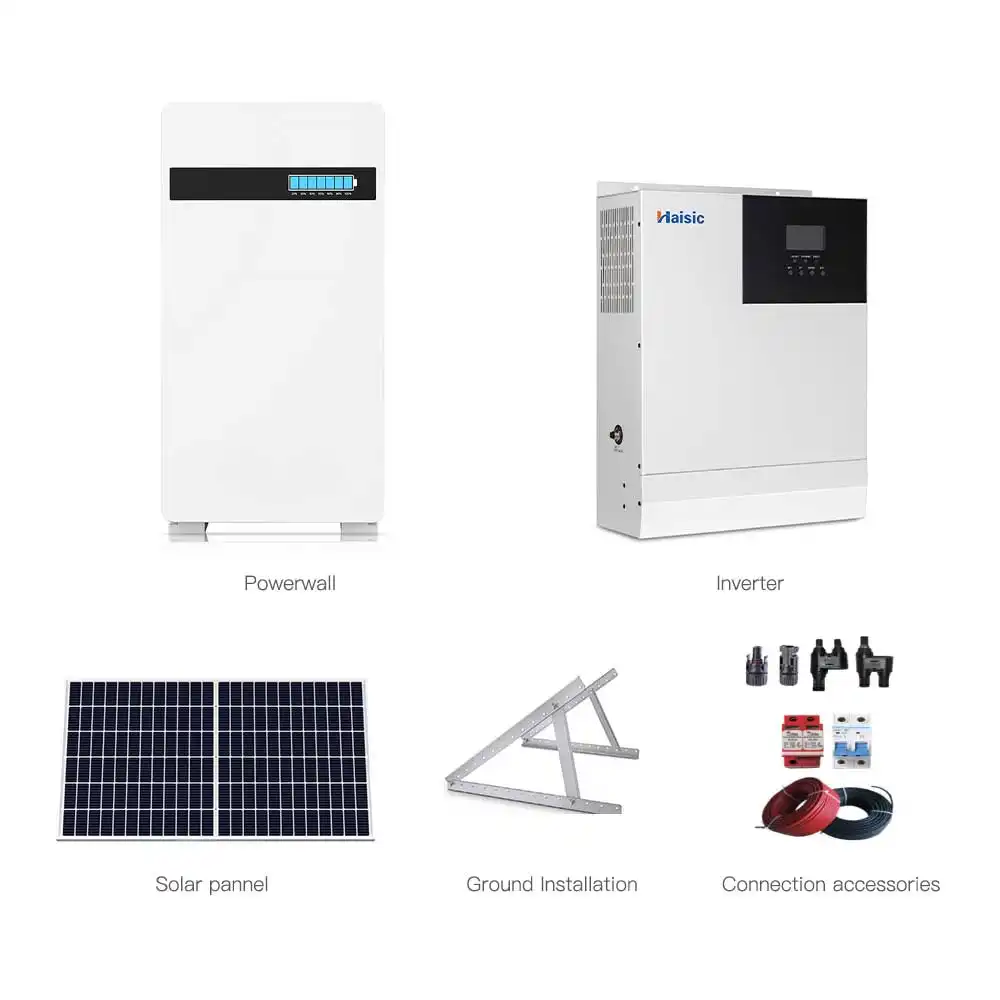
If you plan a larger solar array (e.g., a 10 kW off-grid solar power system similar to this 10kW solar + storage kit concept), pair it with enough kWh to survive nights and a couple of cloudy days. That’s usually where we start the conversation before dialing in the exact number of batteries.
Using Haisic Batteries for Home Backup
How Haisic modular batteries scale for different homes
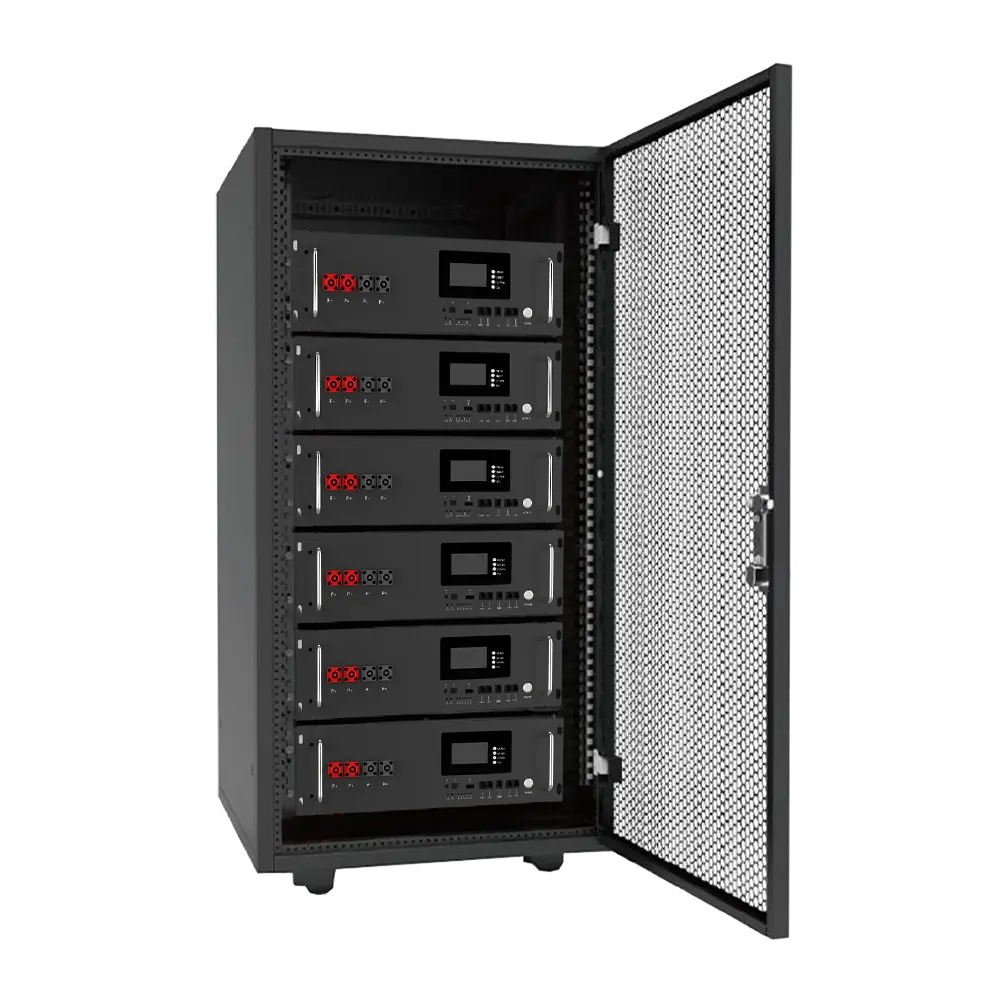
I design Haisic home backup systems to be modular, so you don’t need to guess perfectly on day one. You can start with a single rack battery for essentials, then stack more units as your backup needs or budget grow. For example, a 48V 100Ah rack-mounted LiFePO4 battery pack fits neatly into a cabinet and can be expanded into a larger home energy storage system as you add more batteries in parallel.
Typical setups by home size:
- Small apartments / tiny homes: 1–2 units for lights, fridge, Wi‑Fi
- Medium homes: 2–4 units for partial or near whole home backup
- Larger homes / villas: 4+ units, combined with solar, for deep blackout coverage
This scalable home battery system approach lets you match real-life usage instead of overbuying on day one.
Customizing kWh capacity with Haisic units
With Haisic, you size your backup by total kWh for home backup, not by guesswork. Each battery has a clear rated capacity (for example, a 48V 100Ah unit is about 4.8 kWh). You simply stack units until you hit your target:
- Essentials-only backup: ~5–10 kWh
- Partial home backup: ~10–20 kWh
- Whole home backup: ~20–40+ kWh
High-voltage options like our 51.2V 100Ah high-voltage LiFePO4 battery are built for larger hybrid solar battery setups and whole home battery backup systems, making it easier to integrate with high-power inverters.
LiFePO4 cycle life, safety, and durability
For home battery backup, I only trust chemistries that are safe and long-lasting. That’s why Haisic uses LiFePO4 (lithium iron phosphate):
- Long cycle life: typically 6,000+ cycles under normal use, ideal for daily solar plus backup use
- High usable capacity: deep depth of discharge without killing the battery fast
- Thermal stability: much safer than many older lithium chemistries
- Low maintenance: no regular watering or venting like lead-acid
This gives you a reliable lithium battery bank for home backup that you can run hard during blackouts without stressing over early replacement.
Support and tools for sizing a Haisic backup system
To answer “how many batteries for home backup” for your specific home, I rely on a simple process and real data:
- Review your daily kWh use and outage patterns
- List your essential loads and desired backup hours
- Recommend a home battery backup sizing plan (kWh + number of units)
- Match the right voltage level and inverter type (48V, 72V, high-voltage, etc.)
I also provide straightforward sizing guidance and documentation so installers and DIY users can calculate home battery needs quickly, whether you’re building a small essential loads backup power system or a full hybrid solar battery setup for longer blackouts.
FAQ: How Many Batteries for Home Backup?
How many batteries do I need for a 1–3 day outage?
Rough rule of thumb (for modern global homes):
- Essentials only (Wi‑Fi, lights, fridge, phone/laptop charging)
- 1–2 days: 5–10 kWh total
- 3 days: 10–20 kWh total
- Partial home backup (fridge, lights, some sockets, maybe a small AC or fan)
- 1–2 days: 10–20 kWh
- 3 days: 20–30+ kWh
- Whole home backup with high‑draw loads (AC, electric oven, well pump, etc.):
- 1–2 days: 25–40+ kWh
- 3 days: 40–60+ kWh
You then divide your target kWh by the capacity of each battery. For example, two 5 kWh LiFePO4 batteries can cover ~10 kWh of storage.
Can a single battery run my whole house?
Usually no—unless:
- Your home is very efficient and you only run essentials, or
- Your single unit is a large system (10–15 kWh+) and you’re careful with big loads.
Most homes need multiple batteries for full-house backup, especially if you want to run central AC, electric cooking, or electric water heating.
How many batteries if I already have solar panels?
If you already have solar, you can often cut battery size by 30–60%, because solar will recharge during the day:
- Sunny regions: you may only need enough batteries to cover nighttime + bad weather days.
- Cloudy or winter‑heavy regions: size closer to 1–3 full days of use, then let solar stretch that longer.
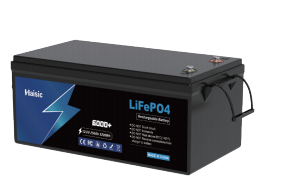
For example, pairing a 5 kWh or 12.8V 280Ah LiFePO4 pack (around 3.5 kWh) like our Haisic 12.8V 280Ah LiFePO4 battery with solar lets you cycle daily and still have backup when the grid fails.
How to tell when you need to add more batteries
You probably need more storage if:
- Your batteries hit low state of charge very quickly during outages
- You regularly shut off appliances just to keep the system alive
- The inverter shuts down at night before sunrise recharge
- You upgraded loads (added mini‑split, bigger fridge, more IT gear, etc.)
In modular systems, you just add another 2–5 kWh block to your existing rack or wall setup.
How often to test and maintain a home backup battery system
To keep your home battery backup reliable:
- Monthly:
- Check state of charge, error codes, Wi‑Fi/app connection
- Every 3–6 months:
- Do a controlled test outage: run critical loads for a few hours
- Check breakers, cabling, and ventilation
- Yearly:
- Review performance data, update firmware, and reassess your backup kWh needs
- Have a pro inspection if it’s a larger whole‑home system
LiFePO4 systems like our 12.8V 200Ah (2.56 kWh) and 400Ah (5 kWh) modules are low‑maintenance, long‑cycle options that make this easy for long‑term home backup use.