

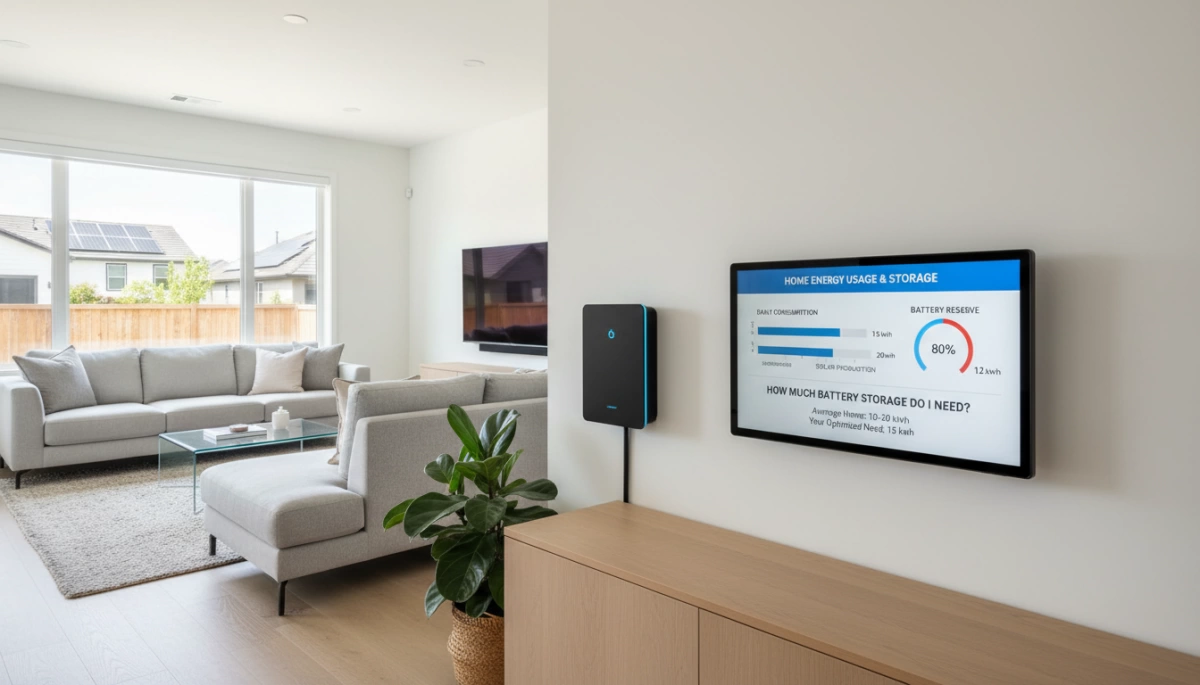
Step 1 – Know Your Daily kWh Use Before Asking “How Much Battery Storage Do I Need?”
If you don’t know how many kilowatt‑hours (kWh) you use in a day, every answer to “how much battery storage do I need?” is just a guess. Your daily kWh use is the foundation for any solar battery sizing calculator, home battery backup sizing, or off‑grid design.
How to Read Your Utility Bill for Daily kWh
Most people already have the key number they need sitting on their power bill.
Look for:
- A line called Usage, Energy, or kWh for the billing period
- The billing period dates (for example, 30 days, 31 days)
Quick way to get your average daily kWh:
- Find total kWh used in the billing period (example: 900 kWh).
- Count the number of days in that period (example: 30 days).
- Divide: 900 kWh ÷ 30 days = 30 kWh/day.
That 30 kWh/day is the starting point for answering “how much battery storage do I need for solar?”
Tip: Check 2–3 recent bills (summer vs. winter) and note the highest daily kWh. That’s the safer number to use for backup planning.
Using Smart Meters and Utility Portals
If your utility has a smart meter or online portal, you can track real‑time and hourly usage, which makes battery capacity for a solar system much easier to size.
Use these tools to:
- See your peak usage hours (often evenings when lights, cooking, and AC/heat are on)
- Separate weekday vs. weekend usage
- Identify big loads like electric heaters, pool pumps, or EV charging
This data helps you decide whether your home battery backup sizing should cover just overnight loads or support your heaviest usage windows.
Typical U.S. Home Energy Use in 2026
In 2026, the average U.S. home uses roughly:
- 28–32 kWh per day (about 850–950 kWh per month)
That’s just an average. Your home could be well below or above this, depending on:
- Climate (hot/humid vs. mild)
- Heating type (electric resistance, heat pump, gas, or none)
- How many people are home during the day
- Whether you work from home or charge an EV
Example Daily kWh by Home Type and Lifestyle
Use these rough ballparks to sanity‑check your numbers:
| Home Type & Lifestyle | Typical Daily Use (kWh/day) |
|---|---|
| Small apartment, 1–2 people, mild climate | 8–15 kWh |
| 2–3 bedroom home, couple, gas heat, no EV | 15–25 kWh |
| 3–4 bedroom family home, mixed gas/electric | 22–35 kWh |
| Large home, 4–5+ people, electric heat or pool | 30–50+ kWh |
| Work‑from‑home office, multiple screens/PCs | Add 3–8 kWh |
| Regular EV charging at home | Add 6–15 kWh per day |
If your bill shows 40–50 kWh/day and you live in a hot region with electric AC and an EV, that’s normal. If your small apartment shows 35 kWh/day, something is likely driving usage up (old appliances, always‑on electric heaters, etc.).
How Daily kWh Drives “How Much Battery Storage Do I Need”
Once you know your daily consumption, you can start translating it into battery capacity:
- If you use 20 kWh/day and want roughly one day of backup, you’re in the ~20 kWh battery range (before adjusting for efficiency and depth of discharge).
- If you use 30 kWh/day and only need essential loads covered (say 40–50% of usage), you may just need 12–15 kWh of usable storage.
- If you’re planning for off‑grid or longer outages (2–3 days), you might target 2–3× your daily kWh in usable battery capacity.
Every accurate answer to:
- “How much solar battery storage do I need?”
- “How much battery storage do I need for solar?”
- “How many kWh battery for off‑grid living?”
starts with one simple step: confirm your real daily kWh use from your bills or smart meter. Once that number is solid, the rest of the sizing process becomes clear and data‑driven instead of guesswork.
Step 2 – Decide Your Backup Goal and How Much Battery Storage You Need
Before I can answer “how much battery storage do I need,” I first lock in the backup goal. Your target decides everything: battery size, cost, and which system makes sense.
Essential loads only (8–15 kWh)
This is the most common starting point for home battery backup sizing. You only back up what you truly need during an outage:
- Typical essential loads: LED lights, fridge/freezer, Wi‑Fi router, phone/laptop charging, basic medical devices, gas furnace fan.
- Good battery range: around 8–15 kWh for most small–average homes.
- What this looks like: You stay comfortable, keep food cold, stay online, and ride through short–medium blackouts without wasting money on oversizing.
If you want a clear overview of how essential-only systems work, I break this down in my guide to home battery storage for backup and power outages.
Comfortable partial backup (15–25 kWh)
If you want more comfort instead of pure “survival mode,” you’ll size up:
- Extra backed‑up loads: small–medium AC, well pump, home office, more lighting, furnace fan, TV, router and networking gear.
- Good battery range: about 15–25 kWh for a typical family home.
- Ideal for: people working from home, rural homes with wells, hot climates where some AC is important, or anyone tired of spoiling food every outage.
A modular ~20 kWh system (for example, a 20.48 kWh home energy storage battery like this touchscreen 20.48 kWh unit) is a sweet spot here.
Full whole-home backup (25–50+ kWh)
Whole-house battery backup means you want your home to feel almost “normal” during an outage:
- Backed‑up loads: everything above plus full HVAC, more circuits, bigger appliances, maybe light EV charging.
- Good battery range: roughly 25–50+ kWh depending on home size, climate, and usage habits.
- 24–48 hours autonomy: if you want 1–2 days of near-normal use, you’ll be at the higher end of this range, especially for larger homes or high AC use.
This is where “how much solar battery storage do I need” becomes a serious investment decision, not a small upgrade.
Grid-tied vs. off-grid: why it matters
Your answer to “how much battery storage do I need for solar” changes fast once you go beyond simple backup:
- Grid-tied with backup: you can size smaller because the grid still covers most of your daily use; batteries mainly handle outages and time-of-use savings.
- Off-grid or near off-grid: you size much larger because the battery must carry your home through nights, bad weather, and longer runs without any grid help.
In short:
- Essentials only: 8–15 kWh
- Comfortable partial backup: 15–25 kWh
- Whole-home backup (24–48 hours): 25–50+ kWh
Once you’re clear on which of these fits your lifestyle, you can size your system with much more confidence and avoid guessing on battery capacity for your solar system.
Step 3 – Factor in Solar Production, Seasons, and Days of Autonomy
Solar Size Limits How Much Battery You Can Charge
When people ask “how much solar battery storage do I need?”, I always start with this: your solar array decides how much battery you can actually fill each day.
- A small solar system can’t reliably charge a huge battery bank.
- As a rule of thumb, you want your batteries to be able to recharge within 1–2 good-sun days.
Example:
If you have a 5 kW solar system that produces around 20–25 kWh per good day, there’s no point installing 80 kWh of batteries unless you’re fine with them rarely reaching 100% charge.
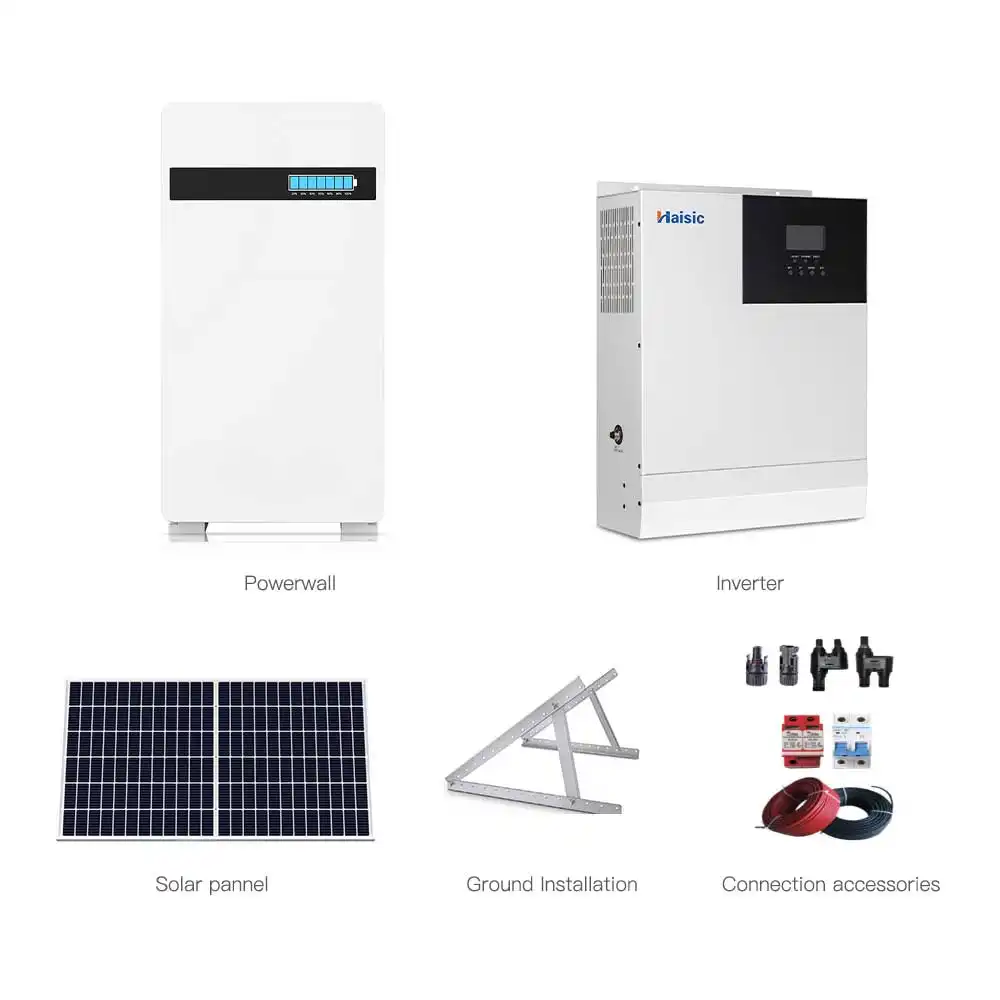
If you’re sizing a 5 kW home solar + battery system, it’s worth looking at a dedicated setup like a 5 kW solar energy storage system for homes to see realistic production and storage matching.
Seasons and Location Change Everything
Solar output is not the same year-round. Your battery storage sizing has to respect your local sun.
- Summer, sunny regions (e.g., U.S. Southwest, Australia, Southern Europe):
Higher daily kWh from solar, easier to refill larger batteries. - Winter, cloudy regions (e.g., UK, Northern Europe, Pacific Northwest):
Shorter days, lower solar production, more days with very little charge.
In winter, a 5 kW system might drop from 25–30 kWh/day down to 8–15 kWh/day depending on latitude and weather. If you live in a cloudy or northern area, you either:
- Accept less backup time, or
- Install more solar and/or more battery storage to ride out bad weeks.
What “Days of Autonomy” Means
“Days of autonomy” is simply how many days you can run your home on batteries alone with little or no sun.
- Grid-tied backup users usually aim for 1–2 days of autonomy.
- Off-grid homes often target 2–3+ days, depending on climate and risk tolerance.
Rule of thumb:
For most homes, sizing battery storage for 1–3 days without sun is the sweet spot:
- 1 day = cheaper, good for short outages.
- 2 days = safer, especially in storm-prone areas.
- 3+ days = usually for serious off-grid or unreliable-grid situations.
Example: 5 kW Solar System in Different Climates
Let’s say your home uses 20 kWh/day and you have a 5 kW solar array.
Sunny climate (good sun, ~5 peak sun hours/day)
- 5 kW × 5 hours ≈ 25 kWh/day solar production.
- To cover 1 day of autonomy, you’d want ~20–25 kWh usable battery storage.
- For 2 days of autonomy, aim for ~40–50 kWh usable.
The system can comfortably recharge a 20–25 kWh battery in one good day, or a 40 kWh bank over 1–2 days of good sun.
Cloudy / northern climate (~3 peak sun hours/day in winter)
- 5 kW × 3 hours ≈ 15 kWh/day in winter.
- If you still use 20 kWh/day, solar alone may not fully recharge a large battery in winter.
- A realistic battery size might be 15–25 kWh usable, plus smart load management.
In locations with tougher winters or frequent outages, I usually recommend using a solar battery sizing calculator and building in a safety margin, especially if you’re planning future loads like EVs or heat pumps.
If you want a system already optimized for mixed climates and backup, check out complete off-grid and hybrid packages such as a 10 kW off-grid solar power system to see how solar, battery size, and autonomy are balanced in practice.
Step 4 – Usable Capacity vs Nominal: How Much Battery Storage Do I Need?
When people ask “how much battery storage do I need” or “how much battery storage do I need for solar”, the key is to focus on usable kWh, not just the big number on the spec sheet.
Nominal vs usable battery capacity
- Nominal capacity (kWh) is the nameplate size printed on the battery – for example, a 10 kWh pack.
- Usable capacity (kWh) is what you can actually draw out in real life, after limiting depth of discharge and accounting for system losses.
- Different chemistries and system designs turn the same nominal kWh into very different usable kWh.
On our side, a typical 51.2V 100Ah LiFePO4 home battery module is rated by nominal kWh, but we size and stack it based on real usable energy for global home users.
Depth of discharge and why it matters
- Depth of discharge (DoD) is how much of the battery you use before it’s “empty”.
- LiFePO4 home batteries are happy at 90–100% DoD, so you can safely use most of their rated capacity.
- Lead-acid is very different: to keep a decent lifespan, you usually limit to ~50% DoD, so a “10 kWh” bank only gives you about 5 kWh usable.
- This is why LiFePO4 home battery sizing is so popular in 2026 – you get more usable storage and far better cycle life per dollar.
Simple formula: turn specs into real kWh
Use this quick rule when you size any home battery backup:
usable kWh = nominal kWh × DoD × inverter efficiency
Typical values:
- LiFePO4 DoD: 0.9–1.0
- Lead-acid DoD: ~0.5
- Inverter efficiency: 0.9–0.96
This single line keeps you from overestimating how long your system will run critical loads during an outage.
Worked example: from “how much solar battery storage do I need” to what to buy
Say you’ve calculated that you need 18 kWh of usable storage to cover your daily essentials and you’re using LiFePO4:
- Target usable energy: 18 kWh
- Choose LiFePO4 DoD: 90% (0.9)
- Assume inverter efficiency: 94% (0.94)
Now flip the formula to find the nominal size to buy:
required nominal kWh = usable kWh ÷ (DoD × inverter efficiency)
required nominal kWh = 18 ÷ (0.9 × 0.94) ≈ 21.3 kWh
So in practice, I’d recommend you step up to around 21–22 kWh nominal of LiFePO4 storage. That could be, for example, four to five modular home batteries in the 4–5 kWh class each, depending on the exact model.
This is the logic I use when sizing systems for customers worldwide:
- figure out usable kWh needed, 2) apply DoD + efficiency, 3) pick the nearest modular, expandable home battery system that slightly overshoots the target rather than undershooting it.
Free “How Much Battery Storage Do I Need” Calculator
How to use a solar battery sizing calculator
When someone asks me “how much battery storage do I need for solar?”, I always start with a simple solar battery sizing calculator. Here’s how to use it step by step:
-
Gather your inputs
- Daily kWh use – from your utility bill or smart meter (e.g. 22 kWh/day)
- Backup goal – critical loads only, comfortable partial backup, or whole-home
- Solar system size – in kW (or planned size)
- Days of autonomy – how many days you want to ride through bad weather (typically 1–3)
- Location – for average sun hours and seasonal differences
-
Enter your data into the solar battery bank calculator
- Daily kWh use
- Percentage of loads you want to back up (for critical load vs full home backup)
- Solar size and days of autonomy
- Location/region so the tool can factor in real-world solar production
-
Example: 2,200 sq ft family home
- Home size: 2,200 sq ft
- Usage: 22 kWh/day
- Backup goal: 1–2 days of backup for key loads (fridge, lights, Wi‑Fi, some sockets, maybe a small AC or home office)
- Good solar location with a 5–7 kW array
In a typical home battery backup sizing tool, this setup usually returns a recommended usable storage range of around 20–25 kWh. That’s enough for:
- Comfortable essentials during an outage
- Some solar recharging during the day
- Flexibility to run a home office or small AC part of the time
In this case, I’d look at a ~20 kWh LiFePO4 home battery, such as a single 51.2V 400Ah 20.48 kWh battery module, or a stack of four modular 5.12 kWh floor-mounted units as a Tesla Powerwall alternative in 2026.
-
How to read the calculator output
- Focus on usable kWh, not just nominal capacity
- Note the low–high range (for example, 20–25 kWh) rather than a single magic number
- Check how long the tool says your system can cover energy storage for power outages in summer vs winter
-
Adjusting for future loads
If you know your loads will grow soon, bump the result up before you buy:- EV: often adds 10–20 kWh/day depending on driving
- Heat pump or electrified heating/cooling: another 5–15 kWh/day
- Full-time home office: +2–5 kWh/day
A good rule: if you plan to add an EV or major electric heating, add 20–50% to the calculator’s recommended battery size or choose expandable home battery systems so you can stack more modules later. This way, the answer to “how much solar battery storage do I need?” stays right as your life and loads change.
Most Popular Home Battery Sizes in 2026 and What They Can Run
If you’re trying to answer “how much battery storage do I need” or “how much solar battery storage do I need for my home,” it usually comes down to picking the right kWh range. Here’s how most people size their home battery backup in 2026.
Common Home Battery Sizes (Quick Overview)
- 5–10 kWh – Small apartments, tiny homes, or critical backup only
- 13–15 kWh – Average suburban home essentials during power outages
- 20–30 kWh – Comfortable partial to near whole-home backup, some EV charging
- 40+ kWh – Large homes, heavy users, or near off‑grid energy storage for power outages
Our own LiFePO4 home batteries in the 10 kWh class are a solid Tesla Powerwall alternative 2026 option if you want high usable capacity and long cycle life, for example our 10 kWh LiFePO4 home energy storage system.
What Each Battery Size Can Run
Use this as a practical guide when asking “how much battery storage do I need for solar” in a typical grid‑tied home:
| Battery size | Sample loads it can run | Typical runtime in outage* | Ideal user |
|---|---|---|---|
| 5–10 kWh | Router/Wi‑Fi, phone/laptop charging, LED lights, fridge | ~8–20 hours of critical loads | Small apartment, basic backup only, low budget |
| 13–15 kWh | Fridge/freezer, lights, Wi‑Fi, TV, gas furnace fan, a few plugs | ~1 day of essentials for an average home | Suburban family that wants reliable essentials during blackouts |
| 20–30 kWh | Essentials + well pump or small AC, home office, some EV top‑ups | ~1–2 days of comfortable partial backup | Work‑from‑home users, solar owners in outage‑prone areas |
| 40+ kWh | Most or all loads: multiple AC units, cooking, large well pump, EV charging | ~2–3+ days depending on use and solar | Large homes, heavy users, near off‑grid setups |
*Assumes moderate use, average household energy consumption kWh around 15–30 kWh/day, and typical inverter efficiency.
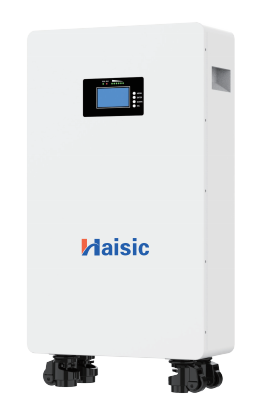
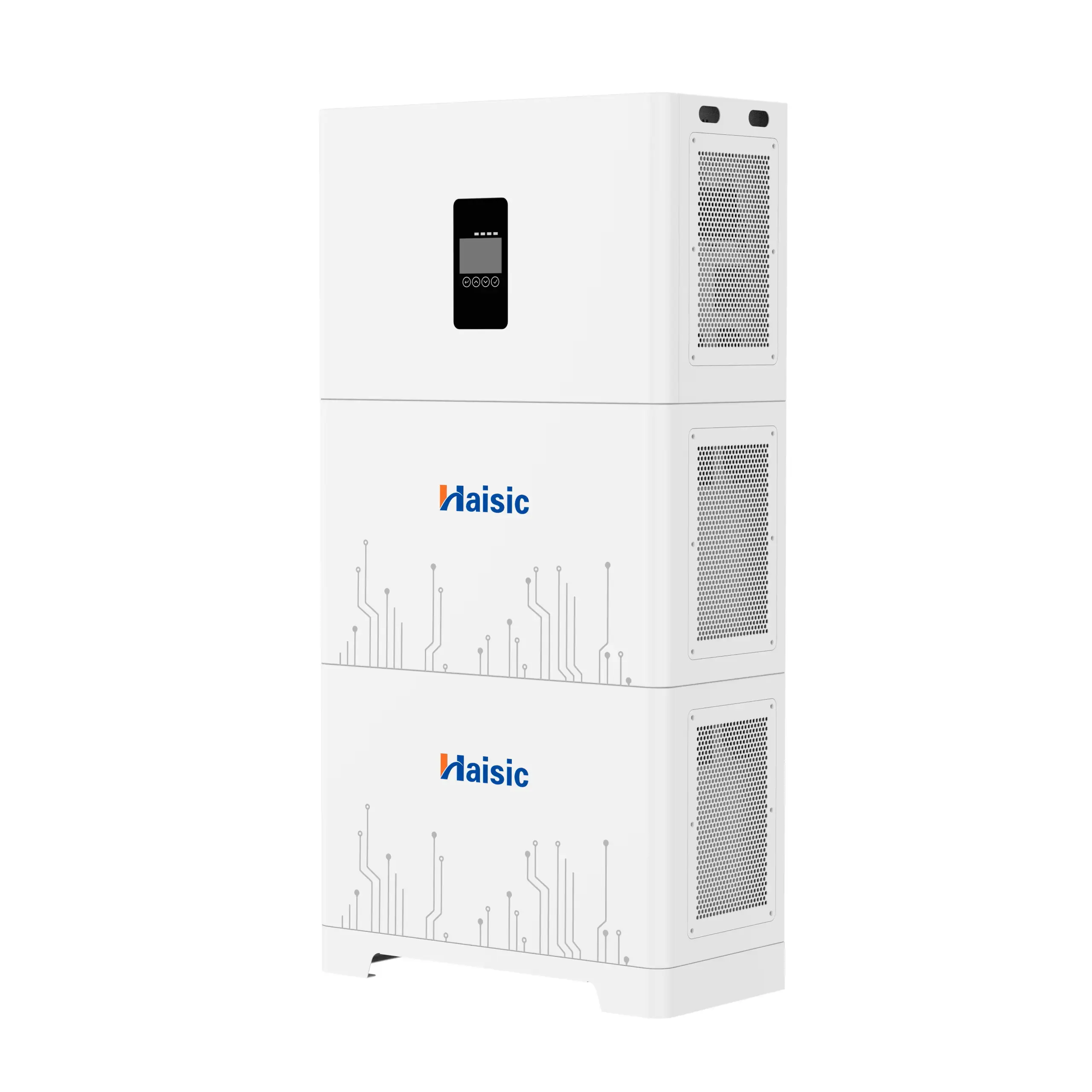
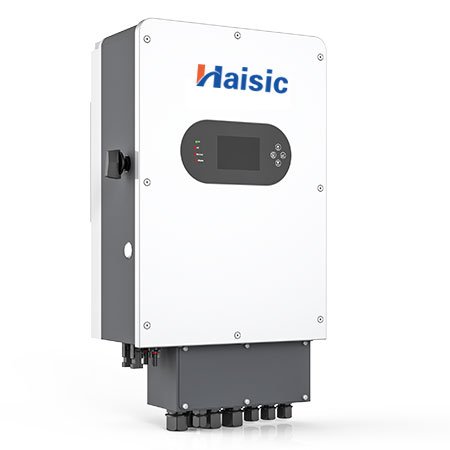
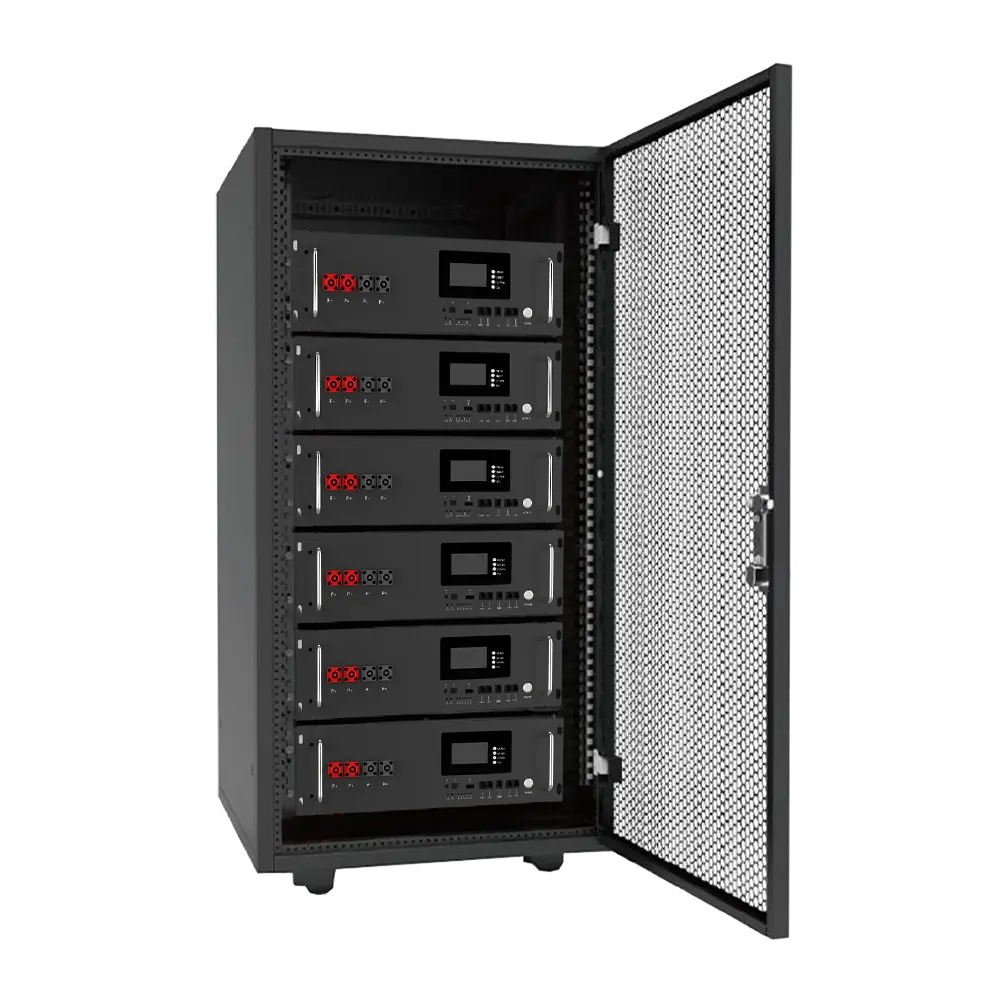
If you want an expandable home battery system that can grow from “critical loads only” to “full home backup,” a modular stackable system like our TQS4 stackable power energy storage lets you start small and add units as your needs, solar array, or EV usage grows.
Common Battery Sizing Mistakes When Calculating How Much Battery Storage You Need
When people ask “how much battery storage do I need for solar?”, they often trip over the same issues. These mistakes cost money and performance.
1. Ignoring system losses
Your inverter and wiring are not 100% efficient. Plan for 5–15% losses. If you need 10 kWh usable, you should size closer to 11–12 kWh of battery capacity for your solar system.
2. Forgetting future loads
Don’t size only for today. If you’re likely to add an EV, heat pump, home office, or extra AC, build that into your home battery backup sizing now. It’s cheaper than redoing everything later.
3. Looking only at price per kWh
The real metric is usable kWh over the life of the battery. A cheap battery with low depth of discharge and short cycle life usually costs more per kWh in the long run.
4. Underestimating blackout duration
Check real outage history in your area. If blackouts often run 12–24 hours, sizing for just a few hours will leave you in the dark. Plan realistic days of autonomy, especially for off‑grid or unreliable grids.
5. Skipping modular, expandable systems
If you’re unsure how much solar battery storage you need, choose expandable home battery systems so you can stack more units later instead of replacing everything.
6. Mismatching batteries and inverters
Your battery must match your inverter specs and local code. Voltage, communication protocol, and certification all matter. When in doubt, get a proper design and quote based on your exact system from our team through our dedicated home battery sizing and quote request page at Haisic battery system recommendations.
Lithium vs. Lead‑Acid for Home Battery Storage in 2026
When people ask “how much battery storage do I need,” the next question is almost always: lithium or lead‑acid? In 2026, for most home battery backup and solar systems, lithium (especially LiFePO4) is the clear winner.
Key differences: LiFePO4 vs. lead‑acid at home
LiFePO4 lithium batteries:
- 8–15+ years typical life (3,000–6,000+ cycles)
- High usable capacity: 90–100% depth of discharge (DoD)
- Stable voltage, better performance at higher loads
- Compact and light for the kWh you get
- Built‑in BMS (battery management system) for safety and monitoring
Lead‑acid batteries (AGM, GEL, flooded):
- 3–7 years typical life (500–1,500 cycles)
- Low usable capacity: ~50% DoD if you want decent life
- Heavy, bulky, more install space for the same kWh
- Voltage sags under high loads (AC, pumps, etc.)
- Maintenance requirements for flooded types (watering, corrosion, ventilation)
Cycle life, DoD & real cost per kWh
To compare fairly, ignore just “upfront price” and look at cost per kWh over the battery’s life:
-
LiFePO4:
- Use 90% of a 10 kWh battery daily → 9 kWh usable
- 4,000 cycles → 36,000 kWh delivered
- Higher upfront cost, but very low cost per kWh over time
-
Lead‑acid:
- Use 50% of a 10 kWh bank daily → 5 kWh usable
- 1,000 cycles → 5,000 kWh delivered
- Cheaper upfront, but you replace it more often and get far less usable energy
For most homeowners, LiFePO4 comes out cheaper over the life of the system, even if the sticker price is higher.
Weight, space & maintenance
-
LiFePO4 lithium
- Smaller footprint for the same kWh
- Lighter, easier wall‑mount or stacked installs
- No regular watering, minimal maintenance
- Safer chemistry, no off‑gassing in normal use
-
Lead‑acid
- Heavy racks or cabinets, more floor space
- Needs good ventilation (especially flooded)
- Regular checks: water level, terminal cleaning, equalization charging
- Higher risk of gas buildup if installed poorly
If you’re tight on space or want a clean, low‑maintenance install, lithium is the way to go.
Why almost all 2026 home systems use lithium
Most whole‑house battery backup systems and Tesla Powerwall alternatives in 2026 use LiFePO4 because:
- High usable kWh in a compact package
- Long warranties and predictable cycle life
- Better performance with solar and smart inverters
- Safer, more stable chemistry for home environments
This is exactly why our modular LiFePO4 home battery units are built around 5.12 kWh blocks you can stack up for 10, 20, 30 kWh and beyond.
When lead‑acid still makes sense (and when it doesn’t)
Lead‑acid can still work if:
- You need the absolute lowest upfront cost
- You have lots of indoor space and good ventilation
- You only cycle lightly (e.g., backup a few times a year, not daily)
Lead‑acid usually does not make sense if:
- You’re running daily solar charging and discharging
- You want compact, indoor, low‑maintenance storage
- You’re planning for 10+ years of regular use
If you care about long‑term value, efficiency, and safety in a modern home or solar setup, go with LiFePO4 lithium and size it correctly from day one.
How Haisic Helps You Size the Right Home Battery Storage
When people ask, “How much battery storage do I need for solar?”, I want them to get a clear, numbers‑based answer—not a guess. That’s exactly what we’ve built our process around at Haisic.
Simple tools to answer “how much battery storage do I need?”
We size your home battery backup based on a few core inputs:
- Your average daily kWh usage
- Your goal: essential loads, partial backup, or whole‑home
- Your solar system size (or planned size)
- Target backup time (hours or days of autonomy)
- Your location and climate (sun hours, blackout risk)
Our team uses a straightforward solar battery sizing approach (similar to a solar battery bank calculator) to translate all that into a recommended kWh range, not just a single number—so you can choose based on budget and comfort level. You can start this process directly through our online quote and sizing request on the Haisic quote page.
Modular 5.12 kWh Haisic units and stacking
We build our systems around 5.12 kWh LiFePO4 modules so you can scale storage exactly to your needs instead of overbuying.
Typical stack options (example):
| System Size | Modules (5.12 kWh each) | Ideal For |
|---|---|---|
| ~10 kWh | 2 units | Small homes, critical loads only |
| ~15 kWh | 3 units | Essentials + a few comfort loads |
| ~20 kWh | 4 units | Comfortable partial backup |
| 25–30+ kWh | 5–6 units | Larger homes, longer outages |
| 40+ kWh | 8+ units | Heavy users, near off‑grid setups |
Our residential ESS stackable units are designed specifically for this kind of modular setup, with details laid out on our 25.6V 280Ah residential ESS product page.
Why we use LiFePO4 home battery storage
Every module is engineered as a high-usable-capacity, long-life energy storage block:
- High usable capacity: Up to ~90–100% usable depth of discharge (DoD)
- Long warranty + cycle life: Designed for daily cycling for years
- Built‑in BMS: Protects against overcharge, over‑discharge, over‑current, and temperature issues
- LiFePO4 chemistry: Stable, safe, low-maintenance, and ideal for home energy storage
- Expandable: Add more units later as your loads grow (EV, heat pump, home office)
This gives you more real kWh you can actually use from each nominal kWh you pay for.
Example system configurations by home type
Here’s how we typically match common use cases to battery sizes:
| Home Type / Use Case | Suggested Storage | Typical Stack | Notes |
|---|---|---|---|
| Small apartment, critical loads only | 5–10 kWh | 1–2 units | Lights, Wi‑Fi, fridge, phone charging |
| Average home, essentials during outages | 13–15 kWh | 3 units | Fridge, lights, Wi‑Fi, some plugs |
| Suburban family home, partial backup + AC/furnace fan | 20–25 kWh | 4–5 units | Essentials + a few “comfort” loads |
| Larger home, frequent long blackouts, some EV | 30–40+ kWh | 6+ units | Whole‑home style backup, 24–48 hours depending on use |
We always match the system to your solar inverter size, roof potential, and local sun hours, so the batteries can recharge properly.
Get a personalized Haisic battery sizing and quote
If you want a precise answer to “how much solar battery storage do I need?” for your setup, we can size it for you in one go. To do that, we usually ask for:
- Last 1–3 utility bills (for daily kWh average)
Quick Checklist Before You Buy Home Battery Storage
Before you spend a dollar, I’d run through this simple checklist. It keeps the “how much battery storage do I need” question grounded in real numbers, not guesses:
-
Confirm your daily kWh use
Grab your last 3–6 utility bills and note the average daily kWh. This is the foundation for any solar battery sizing calculator or home battery backup sizing. -
Decide your backup goal
Be clear: do you want essential loads only, partial backup, or full-home coverage? Your choice here decides whether you need 10 kWh, 20 kWh, or 40+ kWh of storage. -
Check solar size, roof, and sun hours
Know your solar system size (kW), your roof’s potential if you plan to add panels, and your typical peak sun hours. This tells you how much solar battery storage you can realistically recharge each day. -
Confirm inverter and battery chemistry
Make sure your inverter is compatible with the battery you want, and pick your chemistry: LiFePO4 lithium for high usable capacity and long life, or lead-acid if you’re on a tight budget and can live with less usable kWh. -
Plan for future loads
Think 3–10 years out. Will you add an EV, heat pump, mini-split AC, or a bigger home office? If yes, size up slightly so you don’t outgrow your system. -
Decide on modular, expandable storage
If your needs may grow, choose expandable home battery systems so you can start small and stack more units later. For example, our modular 51.2V LiFePO4 wall-mount batteries let you build from a small starter bank into a larger whole-home setup as your budget or loads increase: 51.2V 9.5 kWh Powerwall-style battery. -
List questions for your installer or supplier
Write down what you want to ask before you pay:- How many years of warranty and how many cycles?
- What’s the usable kWh, not just nominal?
- How long will a 10 kWh or 20 kWh battery realistically last during outages in my area?
- How easy is it to add more batteries later?
Run through this list and you’ll have clear inputs for answering “how much battery storage do I need for solar” in your specific home, not just on a generic chart.
FAQ: How Much Battery Storage Do I Need for My Home and Solar System?
How much battery storage do I need for a 5 kW solar system?
For a typical 5 kW solar system, most homes land in the 10–25 kWh battery range.
- Night-time self-use only: 10–15 kWh
- Backup + self-use (1 day): 15–20 kWh
- Longer outages / cloudy areas (1–2 days): 20–25 kWh
The right size still depends on your daily kWh use and how many days of backup you want. A quick rule:
Battery kWh ≈ your daily kWh use × 1–2 days of autonomy.
Can a 10 kWh battery run a house, and for how long?
Yes, but only for limited loads and short periods.
- Light usage (fridge, lights, Wi‑Fi, device charging): 10 kWh = ~12–18 hours
- Typical U.S. home (~25–30 kWh/day): ~8–12 hours, not full day if you use AC or electric cooking
Think of 10 kWh as “critical loads only”, not full whole-house backup.
How long will a 20 kWh home battery last during a typical blackout?
For most grid-tied homes, 20 kWh covers:
- Essentials only: 1.5–2+ days
- Essentials + some comfort (TV, home office, occasional AC/furnace fan): ~1 day
- Heavy use (multiple AC units, electric oven, pool pump): well under 1 day
Your actual runtime comes down to how aggressively you cut non-essential loads during the outage.
Is a 15 kWh battery enough for an average house with solar?
For many homes, 15 kWh is a strong “sweet spot” for solar + backup:
- Great for essentials + a few comfort loads
- Can cover most of a typical evening + night if you’re not blasting AC or electric heating
- With a decent solar array, you can recharge daily and ride through short outages comfortably
If your usage is high (EV, big AC loads, large family), consider 20+ kWh.
How many batteries do I need to go fully off-grid with my solar panels?
For off-grid, you size storage around days of autonomy:
- Light-efficient cabin: 5–10 kWh/day → 15–30 kWh for 2–3 days
- Average family home: 20–30 kWh/day → 40–90 kWh for 2–3 days
- Large or high-use home: 40+ kWh/day → 80–120+ kWh
With modular systems like our 5.12 kWh Haisic LiFePO4 units, that might mean:
- Smaller off-grid: 4–6 units
- Average off-grid home: 8–16 units
If you’re serious about off-grid or near-off-grid, I always recommend a personalized sizing plan based on your real loads and location through our battery storage services.
How often do I need to replace home battery storage, and what affects lifespan?
Modern LiFePO4 home batteries typically last 10–15 years or 6,000+ cycles when sized and installed correctly. Lifespan depends on:
- Depth of discharge: shallow cycles last longer
- Temperature: avoid sustained high heat
- Charge/discharge rate: don’t oversize inverters on tiny banks
- Quality + BMS: good cells and battery management matter
With a well-designed system, most users will only replace their battery bank once in 10–15 years. If you want a system sized properly from day one and designed to be expandable, you can reach out to us directly via the Haisic contact page.